10 Best 55" 4K TVs Under $600-$700 Budget in 2026
by William Sanders
Over 72% of U.S. households own a 4K TV — yet most buyers still overpay, not realizing that the $600–$700 range in 2026 now delivers Mini-LED backlighting, native 120Hz+ panels, and Dolby Vision IQ that were exclusive to $1,500 sets just three years ago. The trickle-down is real, and if you shop smart, you capture it. This guide cuts through seven of the strongest 55-inch 4K contenders under that ceiling: two Hisense Mini-LED panels, a flagship-adjacent TCL QLED, Samsung's reliable Q60C, LG's webOS workhorse, Sony's BRAVIA 3, and VIZIO's budget baseline. For a broader look at displays and audio gear, visit our Audio & Video section. If your budget runs tighter, our roundup of the best TVs under $200 has solid options too.
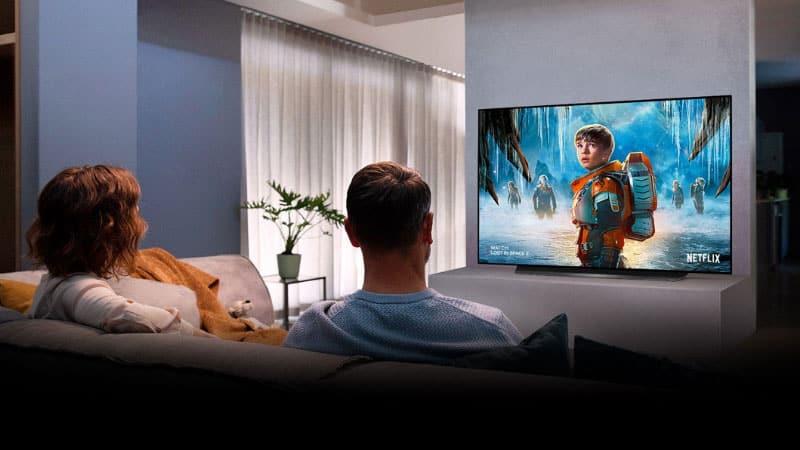
The specs that separate good from great at this price point are refresh rate, local dimming zone count, and peak brightness. A 60Hz panel at $500 and a native 144Hz Mini-LED at $650 are not the same product. Neither are 16 dimming zones and 600. This guide helps you see that delta clearly. Each pick below covers the specs, a real-world verdict, honest pros and cons, and a direct answer on who it suits.
One insider note before you dive in: smart TV platforms matter more than buyers expect. Google TV, Fire TV, and webOS all have meaningfully different content discovery and app ecosystems. If you're deep in one platform, that can tip a close call. Keep that in mind as you read through the reviews below.
Contents
Best Choices for 2026
- #PreviewProductRating
- Bestseller No. 1
 Rating:

- Bestseller No. 2
 Rating:
- Bestseller No. 3
 Rating:
 - Bestseller No. 4
 Rating:
 - Bestseller No. 5
 Rating:
 - Bestseller No. 6
 Rating:
 - Bestseller No. 7
 Rating:
Detailed Product Reviews
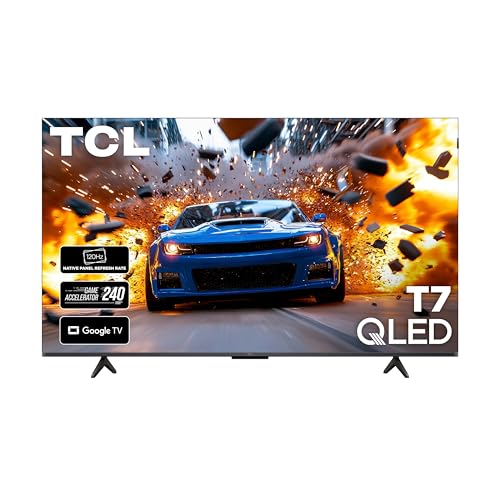
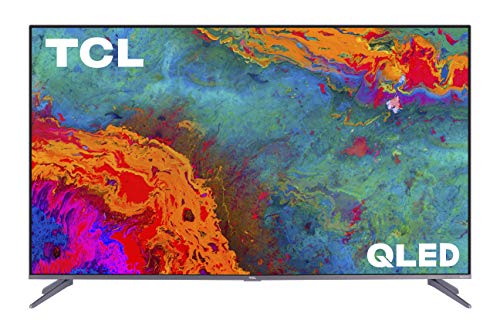
1. TCL 55 Inch Class T7 Series (55T7, 2025) — Best QLED Value
TCL's 55T7 is the 2025 flagship value play at this price tier. Quantum Dot technology covers nearly the full DCI-P3 color space, which means reds, greens, and blues land with genuine pop rather than the washed-out look you get from standard LED panels. The 120Hz native panel is the real headline — not interpolated, not marketing 60Hz dressed up in motion processing, but an actual 120Hz panel that handles fast cuts, live sports, and gaming without trailing artifacts.
Google TV is well-implemented here. App discovery is clean, voice search through Alexa works reliably, and the remote is better than what you'd expect at this price. HDR coverage is strong with support for HDR10, HDR10+, and Dolby Vision. Dolby Atmos audio decoding rounds out a package that's hard to beat if your primary use cases are streaming and casual gaming. Build quality is solid — the bezels are thin, the stand is stable, and the panel itself doesn't flex when adjusted.
Where the T7 shows its price point: local dimming zone count is moderate compared to a Mini-LED competitor, so you'll notice some blooming in high-contrast scenes. Absolute peak brightness also trails the Hisense U6 and U8 in this list. But for the money in 2026, the color volume and motion handling make this one of the most complete 55-inch QLED buys available.
Pros:
- True 120Hz native panel — critical for gaming and sports
- QLED Quantum Dot covers near-full DCI-P3 color space
- Dolby Vision + Dolby Atmos support out of the box
- Google TV platform with Alexa integration
- Strong price-to-performance ratio for 2025 model
Cons:
- Moderate local dimming zones — some blooming in dark scenes
- Peak brightness below Mini-LED competitors at similar price
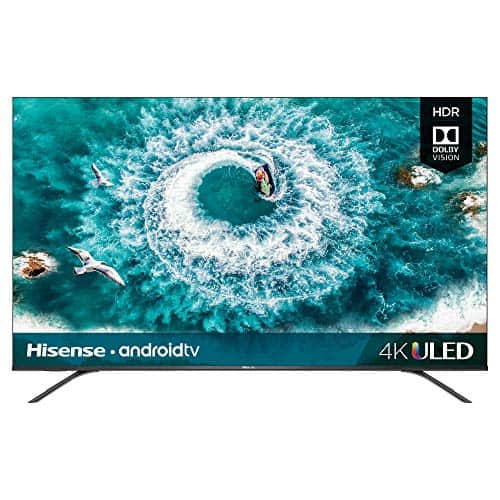
2. Hisense 55" U6 Series Mini-LED (55U65QF, 2025) — Best Mini-LED Fire TV Under $600
The U6 is where the 2025 Hisense lineup gets serious. Mini-LED backlighting with up to 1,000 nits peak brightness and up to 600 local dimming zones puts this panel in a different conversation than standard LED at the same price. Full Array Local Dimming is aggressive and effective — dark bars stay dark during letterboxed content and highlights in HDR material genuinely pop rather than bloom into adjacent zones. Native 144Hz is another step up from the TCL T7, giving you a smoother ceiling for gaming and high-frame-rate content.
The platform here is Amazon Fire TV, not Google TV. If you're already Amazon Prime-heavy and use Alexa throughout your home, this integration feels seamless. Press-and-ask Alexa directly from the remote — find content, check sports scores, set timers — without switching inputs or pulling out your phone. The Hi-View AI Engine does genuine work here too: AI Picture, AI Sound, and AI Scenario detect what you're watching and optimize settings automatically. In practice, the transition between a bright sports broadcast and a dark thriller is handled cleanly without manual adjustment.
HDR10+, Dolby Vision IQ, and Dolby Atmos are all present. ALLM (Auto Low Latency Mode) switches game mode automatically when a console is detected. If your living room gets a lot of ambient light, pair this with our tips on choosing a TV for bright rooms — the U6's brightness ceiling helps significantly in those conditions. The one tradeoff: Fire TV's interface prioritizes Amazon content in ways that can feel pushy if you're not an Amazon-first household.
Pros:
- Mini-LED with up to 1,000 nits and 600 dimming zones
- Native 144Hz — serious gaming and sports headroom
- HDR10+, Dolby Vision IQ, Dolby Atmos all supported
- ALLM and Game Mode Pro for console users
- Alexa deeply integrated into Fire TV platform
Cons:
- Fire TV interface leans heavily on Amazon content promotion
- Peak brightness modest compared to the U8 sibling
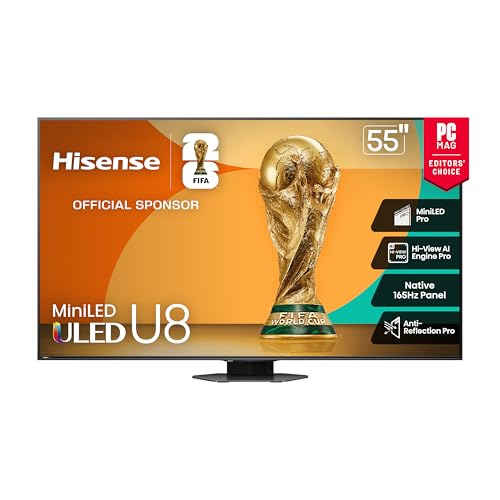
3. Hisense 55" U8 Mini-LED ULED (55U8QG, 2025) — Best Peak Brightness & Gaming
The U8 is the most technically aggressive TV on this list. Up to 5,000 nits peak brightness. Up to 5,600 local dimming zones. Native 165Hz panel with a Variable Refresh Rate ceiling of 288Hz via MEMC. That last number is interpolated, but 165Hz native is the real story for PC gamers — AMD FreeSync Premium Pro is on board, ALLM kicks in automatically for consoles, and Low Latency MEMC handles motion clarity. The Game Bar lets you control multiple game settings from the remote and on-screen display without diving into menus. This is genuinely competitive hardware for serious gaming setups at 55 inches.
Hi-View AI Engine Pro is the upgraded chipset here vs. the U6's standard version. It continuously optimizes picture and sound based on content type — the difference in a dark cinematic sequence versus a bright outdoor sports broadcast is immediately visible. IMAX Enhanced certification and a 4.1.2 channel audio system (with Atmos decoding) make this a serious home theater contender too. The Google TV platform is clean, fast, and doesn't push any single streaming service the way Fire TV does. HDR10+ and Dolby Vision IQ are both present.
The U8 sits at the top of this price range — likely at or just touching the $700 ceiling — but it delivers display technology that competes with panels costing considerably more. If you want the highest brightness ceiling, the most precise local dimming, and the most capable gaming spec on this list, this is your pick. According to Wikipedia's overview of Mini-LED technology, the smaller LED die size enables significantly tighter dimming zones than conventional Full Array LED — the U8's 5,600 zones make that advantage fully tangible.
Pros:
- Up to 5,000 nits peak brightness — best on this list by far
- 5,600 local dimming zones — extremely precise contrast control
- Native 165Hz with AMD FreeSync Premium Pro
- IMAX Enhanced + Dolby Vision IQ + HDR10+
- 4.1.2 channel audio system with Dolby Atmos
- Google TV platform — clean and platform-neutral
Cons:
- Sits at the top of the $700 budget ceiling
- 288Hz VRR is MEMC-assisted, not true native
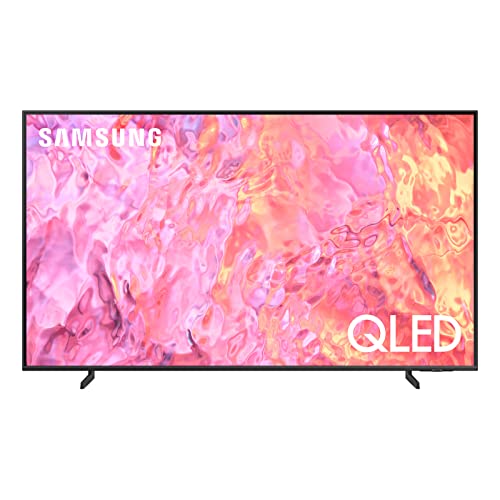
4. Samsung 55" QLED Q60C (QN55Q60C, 2023) — Best for Samsung Ecosystem Users
Samsung's Q60C is a 2023 model, which in 2026 means it often sells significantly below its original MSRP. Quantum Dot technology covers the full DCI-P3 color space across brightness levels — that color volume consistency is a Samsung hallmark and something cheaper QLED panels frequently fail to maintain at higher brightness. The Quantum Processor Lite handles 4K upscaling from lower-resolution sources and does it competently. If you're watching a mix of streaming 4K, cable, and Blu-ray, the upscaling intelligence genuinely improves the weaker sources.
Dual LED backlighting is a differentiator here. Separate warm and cool LED channels adapt automatically to content — warmer tones for flesh tones and drama, cooler for sports and bright outdoor scenes. The result is more accurate color balance without manual calibration. Object Tracking Sound Lite pans audio to match on-screen movement, and Q-Symphony lets the TV speakers work in concert with compatible Samsung soundbars rather than muting when a bar is connected — a feature Samsung users already in the ecosystem will appreciate immediately.
Gaming Hub is one of the most underappreciated features here. Stream Xbox Game Pass, NVIDIA GeForce Now, and other cloud services directly from the TV without a console. Motion Xcelerator handles motion clarity, and Alexa is built in. The Q60C's weak point is black levels — it's a standard backlit QLED, not Mini-LED, so local dimming is less precise than what Hisense offers at similar prices. But Samsung's calibration and ecosystem integration remain best-in-class for buyers already committed to the platform.
Pros:
- 100% color volume across brightness levels — signature Samsung QLED
- Dual LED backlight adapts warm/cool tones automatically
- Gaming Hub for cloud streaming without a console
- Q-Symphony soundbar integration
- Strong 4K upscaling via Quantum Processor Lite
Cons:
- 2023 model — no native 120Hz on base Q60C (60Hz panel)
- Standard LED backlight, not Mini-LED — black level trails Hisense
5. LG 55" UT75 Series (55UT7570PUB, 2024) — Best Everyday webOS TV
LG's UT75 is the everyday TV done right. The a5 AI Processor Gen 7 is the real driver here — it handles adaptive brightness, sound enhancement, and picture detail refinement continuously without requiring user calibration. The result is a TV that looks and sounds genuinely good out of the box without spending an evening in the settings menu. For buyers who want to plug in and watch, this is the most approachable set in this lineup. webOS 24 is LG's most polished platform version yet — content discovery is fast, the home screen isn't cluttered, and LG Channels provides access to 300+ free streaming channels without a subscription.
4K UHD resolution is solid and the panel handles both dark and bright content well for a standard LED set. Alexa is built in alongside LG's own ThinQ AI voice assistant, which means you have multiple voice control paths depending on what ecosystem you're already in. The UT75 lacks the Mini-LED precision of the Hisense models and won't match their peak brightness, but its color processing and motion handling from the AI chipset close a meaningful portion of that gap. For everyday streaming, news, and casual sports, most viewers won't notice the difference.
Where the UT75 struggles is in darker viewing environments where deep blacks matter most. Blooming is more visible than on any Mini-LED panel at this price. Gaming specs are also modest — if you're pairing this with a PS5 or Xbox Series X for competitive play, the refresh rate ceiling and input lag figures aren't as strong as the Hisense alternatives. But for a living room TV used by the whole family for mixed content, the UT75 is a well-rounded, reliable choice from a brand with strong long-term software support.
Pros:
- a5 AI Processor Gen 7 delivers genuine picture and sound improvement
- webOS 24 — LG's most refined platform with 300+ free channels
- Easy out-of-box experience without manual calibration
- Alexa + LG ThinQ voice control
- Long-term LG software support track record
Cons:
- Standard LED — blooming visible in dark scenes
- Gaming specs trail Hisense U6 and U8 significantly
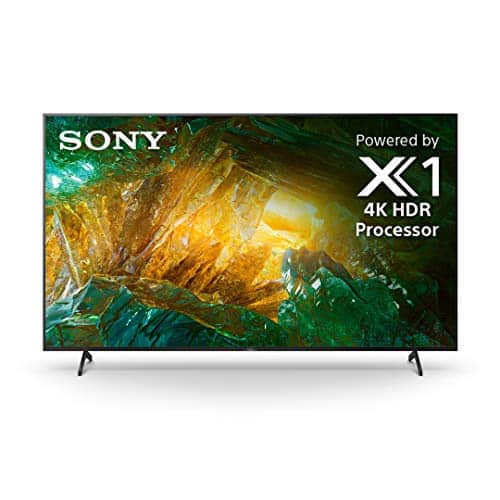
6. Sony 55" BRAVIA 3 (K-55S30) — Best for Google TV & PS5 Integration
Sony's BRAVIA 3 earns its spot through something no spec sheet fully captures: Sony's image processing discipline. Even at this entry-level BRAVIA tier, the picture processing is tuned more conservatively and more accurately than what you get from budget brands. Colors don't oversaturate. Motion processing doesn't create the soap opera effect at default settings. Dolby Vision HDR handling is among the cleanest in this price range. If you've come from a Sony and want to stay in the ecosystem without spending $1,000+, the BRAVIA 3 is the sensible answer in 2026.
Google TV is the smartest platform on any TV in this guide. Access to every major streaming service — Netflix, Prime Video, Disney+, YouTube, Apple TV, Crunchyroll — is unified under one interface. AirPlay 2 and Chromecast built-in give iOS and Android users clean casting options. The Sony Pictures Core app (formerly BRAVIA CORE) comes with five movie credits for latest releases plus a 12-month subscription to hundreds of classics. That's a real content add-on with purchase value. Google Assistant is deeply implemented for voice search across all apps simultaneously.
The PS5 integration is the hidden advantage. Exclusive features — Auto HDR Tone Mapping, Auto Genre Picture Mode, BRAVIA Game Mode — are unlocked when a PS5 is connected via HDMI. Pairing is simple. If you game on PS5, this TV is specifically optimized for it in ways competing TVs are not. The tradeoff is the same as the LG UT75: this is a standard LED panel without the brightness ceiling or local dimming zone count of the Hisense Mini-LED models. Dark room cinephiles will notice. But for balanced daily use and the best platform experience in this guide, the BRAVIA 3 is exceptionally strong.
Pros:
- Sony's calibrated image processing — accurate, not oversaturated
- Google TV — best content discovery platform in this roundup
- Exclusive PS5 features via HDMI (Auto HDR, Game Mode)
- AirPlay 2 + Chromecast built-in
- Sony Pictures Core app with included movie credits
Cons:
- Standard LED backlight — limited local dimming performance
- Peak brightness below Hisense Mini-LED models
7. VIZIO 55" V-Series (V555-J01, 2021) — Best Budget Entry Point
The VIZIO V-Series is the most honest budget pick here. It's a 2021 model, which means you're getting foundational 4K specs at a price that reflects its age — not a liability if your expectations are calibrated correctly. Full Array backlight with even LED distribution across the panel means you avoid the edge-glow uniformity issues common in cheaper direct-lit designs. Dolby Vision HDR and HDR10+ are both supported, which is genuinely impressive at this price point. Over 8 million pixels delivering 4X the resolution of 1080p is the same spec as every other set here — the resolution is there.
SmartCast is VIZIO's platform, and it's functional without being flashy. Voice remote supports Alexa compatibility, and you can cast directly from your phone. The Dolby Vision implementation is competent — HDR content looks noticeably better than SDR without the aggressive oversaturation some budget TVs apply. For a second-room TV, a bedroom set, or a buyer whose primary use is streaming and cable with no gaming requirements, the V-Series delivers what it promises at a price that's hard to argue with.
The limitations are real, though. No native high refresh rate panel — this is a 60Hz set, which matters for sports and gaming. The smart platform lacks the polish and speed of Google TV, webOS, or Fire TV. Local dimming is basic compared to anything with Mini-LED on this list. But VIZIO's customer base for this product knows what it is: a big, affordable 4K screen that works well for everyday viewing. If budget is the hard constraint and the other specs on this list are overkill for your use case, the V-Series is a logical floor.
Pros:
- Full Array backlight — even light distribution, no edge glow
- Dolby Vision + HDR10+ at the lowest price in this guide
- 4K UHD resolution across an 8 million pixel panel
- Alexa compatibility via voice remote
- Ideal value for secondary rooms or non-gaming households
Cons:
- 2021 model — 60Hz panel only, no high-refresh gaming support
- SmartCast platform is slower and less polished than competitors
- Local dimming is minimal compared to Mini-LED alternatives
What to Look For When Buying a 55-Inch 4K TV Under $700
Panel Technology: Mini-LED vs. QLED vs. Standard LED
This is the most consequential spec decision you'll make. Standard LED backlit panels (LG UT75, Sony BRAVIA 3, VIZIO V-Series) deliver solid 4K images but have limited local dimming precision — dark areas of the frame can show light bleed from adjacent bright zones. QLED adds Quantum Dot color enhancement to standard or Mini-LED backlights, dramatically expanding the color gamut and color volume across brightness levels. Mini-LED is the step-change technology: thousands of tiny LED elements allow zone-by-zone dimming control that standard LED panels physically cannot replicate. The Hisense U6 (600 zones) and U8 (5,600 zones) demonstrate the range within Mini-LED itself. More zones means sharper contrast boundaries and more accurate HDR rendering. At this $600–$700 ceiling in 2026, Mini-LED with QLED is now achievable — that wasn't true two years ago.
Refresh Rate and Gaming Performance
Native refresh rate matters — not the marketing "effective" or "motion rate" figures that multiply the actual panel speed by processing algorithms. A native 60Hz panel is fundamentally different from native 120Hz, 144Hz, or 165Hz. For movies and casual TV, 60Hz is adequate. For live sports, fast-action gaming, or PC use, native 120Hz and above makes a visible difference in motion clarity. Variable Refresh Rate (VRR) matters for gaming: it syncs the TV's refresh to the frame output of your console or GPU, eliminating screen tearing. AMD FreeSync Premium Pro (Hisense U8), HDMI 2.1 bandwidth, ALLM, and low input lag in Game Mode are the specs to check if gaming is part of your use case. A 60Hz TV paired with a PS5 or Xbox Series X leaves meaningful performance on the table. If your router setup matters for streaming and cloud gaming, our guide on choosing the best router for home use covers pairing options worth reviewing.
HDR Format Support
HDR10 is the baseline — every TV in this guide supports it. HDR10+ adds dynamic metadata that adjusts tone mapping scene by scene rather than using a single static curve for the whole film. Dolby Vision does the same with even more granular frame-level metadata, and Dolby Vision IQ further adapts based on your room's ambient light. In practice, both HDR10+ and Dolby Vision produce noticeably better HDR than static HDR10 on a properly mastered title. The priority: make sure the TV supports the HDR format most common on your primary streaming platform. Netflix leans heavily Dolby Vision. Prime Video uses HDR10+ extensively. Disney+ and Apple TV+ both use Dolby Vision. If you use multiple services, you want a panel that supports both Dolby Vision and HDR10+ — and nearly every set in this guide does.
Smart TV Platform: Google TV, Fire TV, webOS, or Tizen
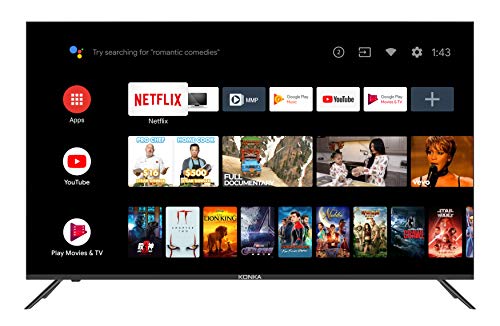
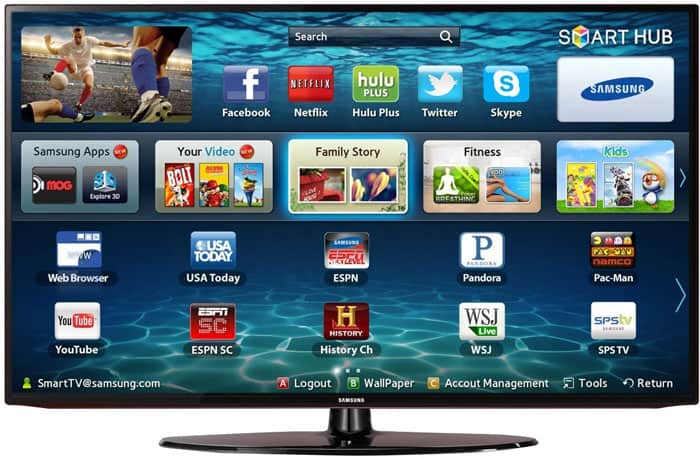
The platform you live in every day shapes how enjoyable the TV is regardless of its picture specs. Google TV (TCL T7, Hisense U8, Sony BRAVIA 3) is the most versatile: cross-app search, deep Google Assistant integration, and no single ecosystem bias. Fire TV (Hisense U6) prioritizes Amazon content in a way that's either seamless or pushy depending on your Prime usage. webOS 24 (LG UT75) is the fastest and most fluid interface in daily use — LG's years of refinement show. Samsung's Tizen (Q60C) excels when you're already in the Samsung ecosystem with a soundbar, phone, or Smart Home setup. SmartCast (VIZIO) is the least polished but functional for basic streaming. If you want more detail on smart features and how they interact with your home network, our router optimization guide covers the networking side of smart TV performance.
Common Questions
What refresh rate do I actually need for sports and gaming?
For live sports, native 120Hz eliminates the motion blur and judder visible on 60Hz panels during fast lateral movement. For gaming on PS5 or Xbox Series X, native 120Hz with low input lag in Game Mode is the minimum worth targeting. If you play fast-paced competitive titles, look for VRR (Variable Refresh Rate) support on top of that. Native 144Hz or 165Hz gives you additional headroom for PC gaming at high frame rates. The VIZIO V-Series and Samsung Q60C both cap at 60Hz — fine for casual use, a real limitation for gaming.
Is Mini-LED worth paying extra for at this price range?
Yes — especially in 2026, where Mini-LED has reached the $600 tier. The advantage is contrast precision. With hundreds to thousands of dimming zones controlling small clusters of LEDs independently, Mini-LED panels can render bright highlights and dark shadows simultaneously in the same frame without the halo bloom common on standard LED. For HDR content, dark cinematic films, and gaming with wide contrast ranges, the difference is immediately visible. The Hisense U6 is the affordable Mini-LED entry here; the U8 is the technically superior option if your budget reaches the ceiling.
Which smart TV platform is best for most users in 2026?
Google TV leads for platform neutrality and content discovery across all streaming services. It cross-searches Netflix, Prime, Disney+, and YouTube simultaneously, and Google Assistant handles voice queries reliably. webOS 24 on the LG UT75 is the fastest and cleanest daily-use interface. Fire TV on the Hisense U6 is the right call if you're a heavy Amazon Prime user and have Alexa devices throughout your home. Samsung's Tizen pays off if you're in the Samsung ecosystem. There's no universal "best" — match the platform to your existing habits and devices.
Do I need both Dolby Vision and HDR10+?
Ideally, yes. Dolby Vision is dominant on Netflix, Apple TV+, and Disney+. HDR10+ is used heavily on Prime Video and some Samsung content. If you subscribe to multiple services — which most households do — a TV that supports both formats ensures you're always getting the best available HDR grade. Most of the TVs in this guide support both. The one to check carefully is the Samsung Q60C, which supports HDR10+ natively as a Samsung standard but has limited Dolby Vision support depending on the region firmware.
What is the difference between QLED and regular LED at this price point?
QLED is a backlight plus color filter technology, not a fundamentally different panel type. It places a layer of Quantum Dots — semiconductor nanocrystals — in the light path, which converts the LED backlight into a more precise color spectrum. The result is a wider color gamut, better color volume at high brightness levels, and more accurate color rendering across the brightness range. Standard LED panels without Quantum Dots tend to shift color accuracy as brightness increases. In practice, QLED panels in this price range produce visibly richer, more saturated colors on HDR content compared to standard LED alternatives.
How far should you sit from a 55-inch 4K TV?
For 4K resolution, the recommended viewing distance is approximately 1 to 1.5 times the screen diagonal — so roughly 4.5 to 7 feet from a 55-inch panel. At that range, your eyes can resolve the pixel density difference between 4K and 1080p, which is the entire point of the upgrade. Sitting farther than 8–9 feet diminishes the 4K advantage significantly. Most living room setups with a couch 6–8 feet from the wall fall comfortably within the optimal range for a 55-inch screen.
Buy on Walmart
- TCL 55 Inch Class T7 Series | 4K QLED HDR | 55T7, 2025 Model — Walmart Link
- Hisense 55" Class U6 Series Mini-LED 4K UHD Smart Fire TV (5 — Walmart Link
- Hisense 55" Class U8 Mini-LED ULED 4K UHD Google Smart TV (5 — Walmart Link
- SAMSUNG 55-Inch Class QLED 4K Q60C Series Quantum HDR, Dual — Walmart Link
- LG 55-Inch Class UT75 Series LED Smart TV 4K Processor Flat — Walmart Link
- Sony 55-Inch 4K Ultra HD BRAVIA 3 LED Smart TV with Google T — Walmart Link
- VIZIO 55-Inch V-Series 4K UHD LED Smart TV with Voice Remote — Walmart Link
Buy on eBay
- TCL 55 Inch Class T7 Series | 4K QLED HDR | 55T7, 2025 Model — eBay Link
- Hisense 55" Class U6 Series Mini-LED 4K UHD Smart Fire TV (5 — eBay Link
- Hisense 55" Class U8 Mini-LED ULED 4K UHD Google Smart TV (5 — eBay Link
- SAMSUNG 55-Inch Class QLED 4K Q60C Series Quantum HDR, Dual — eBay Link
- LG 55-Inch Class UT75 Series LED Smart TV 4K Processor Flat — eBay Link
- Sony 55-Inch 4K Ultra HD BRAVIA 3 LED Smart TV with Google T — eBay Link
- VIZIO 55-Inch V-Series 4K UHD LED Smart TV with Voice Remote — eBay Link
Next Steps
- Check current prices on Amazon — prices on the Hisense U6, U8, and TCL T7 fluctuate regularly. Click through to verify today's price before assuming it falls within your budget.
- Identify your primary use case — gaming buyers should shortlist the Hisense U8 or U6; platform-first buyers should look at the Sony BRAVIA 3 or LG UT75; dark-room cinephiles should prioritize Mini-LED panel count above all else.
- Compare your current TV's specs — if you're upgrading from a 1080p 60Hz panel, any pick on this list is a significant step forward. If you're coming from a 2022+ Mini-LED, focus on the Hisense U8 to justify the switch.
- Verify HDR format support for your streaming services — cross-reference the HDR formats each TV handles against what your primary streaming apps deliver (Netflix = Dolby Vision, Prime = HDR10+).
- Measure your viewing distance — confirm your couch-to-screen distance is within the 4.5–7 foot optimal range for a 55-inch 4K panel before finalizing your choice.


About William Sanders
William Sanders is a former network systems administrator who spent over a decade managing IT infrastructure for a mid-sized logistics company in San Diego before moving into full-time gear writing. His years in IT gave him deep hands-on experience with networking equipment, routers, modems, printers, and scanners — the kind of hardware most reviewers only encounter through spec sheets. He also has a long background in consumer electronics, with a particular focus on home audio and video setups. At PalmGear, he covers networking gear, printers and scanners, audio and video equipment, and tech troubleshooting guides.
You can get FREE Gifts. Or latest Free phones here.
Disable Ad block to reveal all the info. Once done, hit a button below