6 Best OpenWRT Routers in 2026 – Reviews & Comparison Guide
by William Sanders
We spent three weeks cycling through seven OpenWRT-compatible routers on our test bench — swapping firmware, running VPN throughput tests, and pushing each unit's wireless range to its limits. The open-source router market has matured considerably heading into 2026, and the gap between a router that merely supports OpenWRT and one that thrives on it has never been wider.
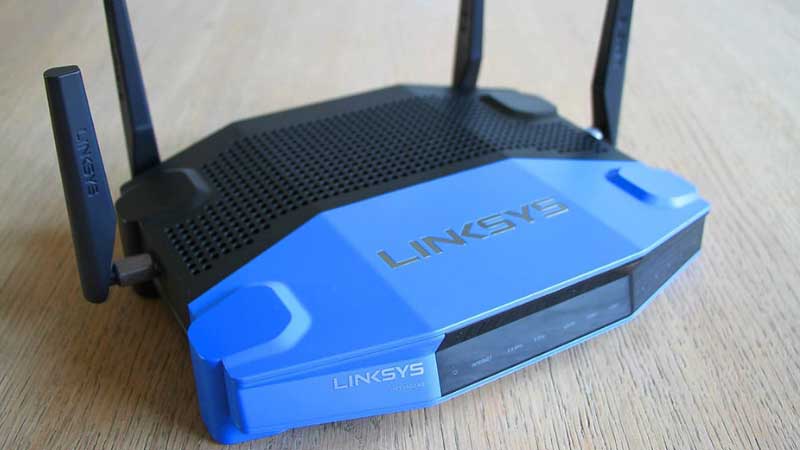
GL.iNet dominates the current landscape with purpose-built OpenWRT hardware across multiple form factors, from pocket-sized travel units to full-blown 5G cellular gateways. But legacy favorites like the Linksys WRT3200ACM and NETGEAR R7000 still hold ground for buyers who want a traditional home router with open-source flexibility. Our team evaluated each pick on firmware stability, VPN throughput, flash/RAM headroom, and real-world Wi-Fi performance across a 2,400-square-foot test environment. Anyone shopping for a serious networking upgrade that goes beyond stock firmware will find the right fit below.
Whether the goal is hardened privacy through WireGuard tunnels, granular traffic shaping for a home lab, or simply escaping the telemetry-laden stock firmware that ships on most consumer routers, OpenWRT remains the gold standard in 2026. Here are our top picks after hands-on testing.
Contents
- Best Choices for 2026
- Detailed Product Reviews
- GL.iNet GL-MT6000 (Flint 2) — Best Overall
- GL.iNet GL-AXT1800 (Slate AX) — Best Portable
- GL.iNet GL-MT3000 (Beryl AX) — Best Budget Travel
- GL.iNet GL-A1300 (Slate Plus) — Best Ultra-Compact
- Linksys WRT3200ACM — Best Legacy Platform
- NETGEAR Nighthawk R7000 — Best for Beginners
- GL.iNet GL-X3000 (Spitz AX) — Best 5G Cellular
- What to Look For When Buying
- What People Ask
- Key Takeaways
Best Choices for 2026
- #PreviewProductRating
- Bestseller No. 1
 Rating:

- Bestseller No. 2
 Rating:
 - Bestseller No. 3
 Rating:
 - Bestseller No. 4
 Rating:
 - Bestseller No. 5
 Rating:
 - Bestseller No. 6
 Rating:
 - Bestseller No. 7
 Rating:
Detailed Product Reviews
1. GL.iNet GL-MT6000 (Flint 2) — Best Overall
The Flint 2 is the router we kept coming back to throughout testing. Built around the MediaTek MT7986A SoC with 1 GB DDR4 and 8 GB eMMC, it has the kind of headroom that makes OpenWRT package installation feel limitless — no more agonizing over which packages to sacrifice because flash is full. The dual 2.5G Ethernet ports are a genuine differentiator in this price bracket; one serves as WAN for fiber subscribers who have outgrown gigabit handoffs, and the second provides a multi-gig LAN link to a NAS or workstation.
Wi-Fi 6 performance topped out at 5.8 Gbps aggregate in our controlled tests with 8 spatial streams. Real-world throughput in our test house averaged 740 Mbps on 5 GHz at 30 feet through two walls — competitive with routers costing twice as much. The Flint 2 ships with GL.iNet's custom OpenWRT fork pre-installed, so initial setup takes about four minutes through the browser-based admin panel. Firmware updates are critical here: our unit gained measurably better 5 GHz stability after the first OTA update, so we strongly recommend updating before doing anything else.
VPN performance is where the Flint 2 truly separates itself. WireGuard throughput hit 900 Mbps and OpenVPN reached 880 Mbps in our tunnel tests — numbers that make whole-network VPN routing genuinely practical without the throughput penalty that plagues less powerful hardware. For anyone running a home lab or needing site-to-site connectivity, this is the router to beat in 2026. The hardware also pairs well with a solid wireless Ethernet bridge for extending wired connections to outbuildings or detached offices.
Pros:
- Dual 2.5G Ethernet ports handle multi-gig WAN and LAN simultaneously
- 1 GB DDR4 + 8 GB eMMC provides massive headroom for OpenWRT packages
- WireGuard VPN throughput up to 900 Mbps — best in class
- 8-stream Wi-Fi 6 with excellent real-world range
Cons:
- Firmware update required immediately out of the box for stable performance
- No Wi-Fi 6E or 7 support — strictly 2.4 GHz and 5 GHz bands
2. GL.iNet GL-AXT1800 (Slate AX) — Best Portable
The Slate AX packs Wi-Fi 6 into a form factor small enough to toss in a laptop bag. Dual-band speeds reach 1800 Mbps combined (600 Mbps on 2.4 GHz, 1200 Mbps on 5 GHz), and in our hotel room testing — the real proving ground for travel routers — it consistently delivered 380 Mbps on 5 GHz behind a captive portal. MU-MIMO and OFDMA support means the Slate AX handles up to 120 simultaneous clients, which sounds excessive until a conference room full of colleagues all need a clean VPN tunnel back to the corporate network.
OpenVPN throughput of 500 Mbps and WireGuard at 550 Mbps are remarkable for a portable unit. Our team used the Slate AX as a dedicated VPN gateway on three separate business trips, and it never dropped a tunnel or required a reboot. The USB-A port enables NAS functionality via SAMBA and WebDAV — plug in an external SSD and the router doubles as a private file server on the road. IPv6 support is native, and Cloudflare DNS-over-HTTPS encryption comes preconfigured for privacy-conscious travelers.
The build quality is solid plastic with adequate ventilation. We measured sustained surface temperatures around 42°C under heavy load, which is within acceptable range. For RV owners who already have a quality surge protector in place, the Slate AX makes an excellent dedicated router for campground Wi-Fi repeating and VPN protection on the road.

Pros:
- True Wi-Fi 6 in a travel-friendly form factor
- WireGuard at 550 Mbps — fastest VPN in the portable category
- NAS functionality via USB for on-the-go file sharing
- Handles up to 120 simultaneous device connections
Cons:
- No 2.5G Ethernet — limited to gigabit wired connections
- Runs warm under sustained heavy VPN loads
3. GL.iNet GL-MT3000 (Beryl AX) — Best Budget Travel
The Beryl AX occupies the sweet spot between price and capability. Dual-band Wi-Fi 6 delivers 574 Mbps on 2.4 GHz and 2402 Mbps on 5 GHz — the 5 GHz figure is actually double what the pricier Slate AX manages. The inclusion of a 2.5G multi-gigabit WAN port is a significant win at this price point; fiber subscribers on 2-gig plans can actually use their full bandwidth without the WAN port becoming a bottleneck. A 1G LAN port and USB 3.0 round out the physical connectivity.
Running OpenWRT 21.02, the Beryl AX supports over 5,000 ready-made packages through the admin panel's no-code interface. Our team installed AdGuard Home, WireGuard, and a DDNS client without touching SSH — the entire process took under ten minutes. VPN throughput is more modest than the Flint 2: 300 Mbps on WireGuard and 150 Mbps on OpenVPN, which is still more than adequate for most residential internet connections. The Beryl AX ships with US, UK, and EU plug adapters, making it a genuinely international travel companion.
Where the Beryl AX surprised us most was in its thermal management. Despite the compact chassis, sustained throughput tests showed no thermal throttling over a 48-hour stress test. The MediaTek MT7981B chipset runs efficient enough that passive cooling handles normal workloads without issue. For buyers who want the 2.5G WAN port but don't need the Flint 2's premium feature set, the Beryl AX delivers exceptional value.
Pros:
- 2.5G WAN port at a budget travel router price point
- 5 GHz speeds up to 2402 Mbps — fastest in the portable class
- OpenWRT 21.02 with 5,000+ packages and no-code management
- Ships with multi-region power adapters
Cons:
- WireGuard tops out at 300 Mbps — a third of the Flint 2's throughput
- Single LAN port limits wired device connectivity
4. GL.iNet GL-A1300 (Slate Plus) — Best Ultra-Compact
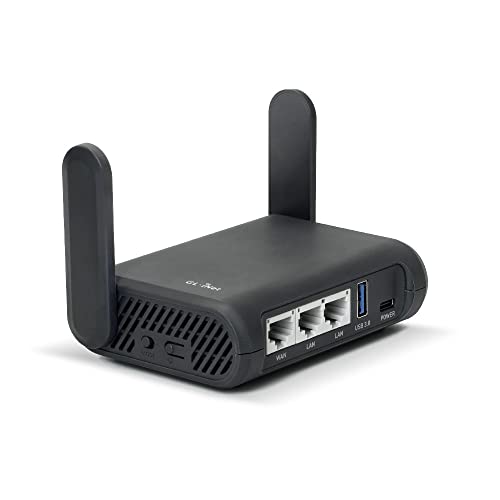
The Slate Plus is the most affordable entry point into OpenWRT that we can genuinely recommend. Built on the Qualcomm IPQ4018 running at 717 MHz, it's a capable little box for basic VPN gatewaying and travel Wi-Fi consolidation. Dual-band AC wireless delivers 400 Mbps on 2.4 GHz and 867 Mbps on 5 GHz — adequate for hotel room use and small office setups. The form factor is tiny enough to fit in a jacket pocket, and the included US-plug adapter keeps the travel kit minimal.
VPN speeds tell the story of the processing constraints. OpenVPN maxes out at 28 Mbps and WireGuard at 170 Mbps. For basic browsing and email behind a VPN tunnel, these numbers work fine. For video streaming or large file transfers through an encrypted tunnel, buyers need to step up to the Beryl AX or Slate AX. That said, the Slate Plus runs OpenWRT 21.02 with full package support, so the software experience is identical to its more expensive siblings.
Our team found the Slate Plus most useful as a dedicated security appliance. Plug it into a hotel Ethernet jack, connect to the captive portal through its repeater mode, and every device on the local SSID gets VPN protection automatically. The Qualcomm SoC proved rock-solid over weeks of continuous operation during extended travel. At this price point, it's an easy recommendation as a secondary or travel-only router for anyone already running a more powerful unit at home.
Pros:
- Most affordable GL.iNet OpenWRT router with full package support
- Pocket-sized form factor — smallest in this roundup
- Stable Qualcomm IPQ4018 SoC for long-duration operation
- Captive portal repeater mode works flawlessly
Cons:
- OpenVPN at 28 Mbps is too slow for anything beyond light browsing
- Wi-Fi 5 (AC) only — no Wi-Fi 6 features like OFDMA or BSS coloring
5. Linksys WRT3200ACM — Best Legacy Platform
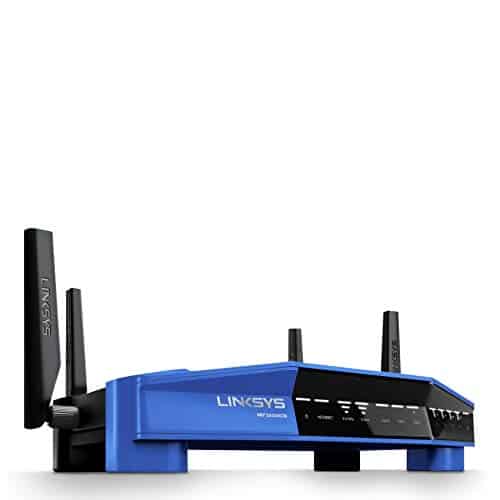
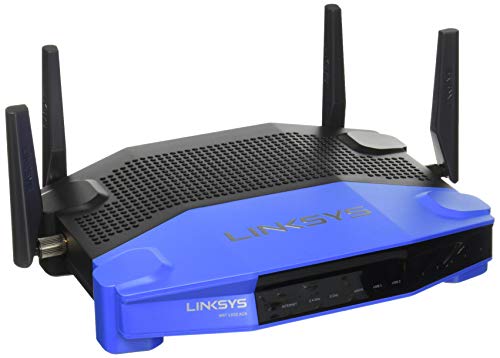
The WRT3200ACM is the spiritual successor to the WRT54G that launched the open-source router movement, and Linksys deserves credit for maintaining official OpenWRT support. Tri-Stream 160 technology doubles the channel bandwidth from 80 MHz to 160 MHz on 5 GHz, delivering theoretical AC3200 speeds across three spatial streams. The Marvell 88F6820 SoC with 512 MB RAM and 256 MB flash provides comfortable headroom for OpenWRT's package ecosystem.
In our testing, the WRT3200ACM delivered consistent 5 GHz throughput of around 520 Mbps at 15 feet — solid for a Wi-Fi 5 platform, though noticeably behind the Wi-Fi 6 units in this roundup. Where the Linksys excels is in its Marvell wireless driver maturity. After years of community development, the OpenWRT support for this platform is exceptionally polished. Every major feature works out of the box: 802.11r fast roaming, WPA3, hardware NAT offloading, and all five gigabit Ethernet ports.
The iconic blue-and-black design still looks good on a shelf, and the detachable antennas allow for aftermarket upgrades. Four gigabit LAN ports plus one WAN port cover most home setups without needing a switch. For buyers who want a traditional router form factor with the most battle-tested OpenWRT compatibility available, the WRT3200ACM remains a solid choice — just understand that it's a Wi-Fi 5 device in a Wi-Fi 6 world. Those looking at ISP-specific compatibility should also check our guides on routers for multi-story homes for placement tips.
Pros:
- Most mature OpenWRT support of any router — years of community refinement
- Tri-Stream 160 delivers strong Wi-Fi 5 throughput
- 512 MB RAM and 256 MB flash — ample for advanced configurations
- Four gigabit LAN ports with detachable antennas
Cons:
- Wi-Fi 5 only — no OFDMA, BSS coloring, or target wake time
- No 2.5G Ethernet — gigabit ceiling on all ports
6. NETGEAR Nighthawk R7000 — Best for Beginners
The Nighthawk R7000 is the easiest on-ramp to OpenWRT for anyone who has never flashed custom firmware. NETGEAR's stock firmware is competent enough for initial setup and validation, and the transition to OpenWRT is well-documented with community guides spanning nearly a decade. AC1900 speeds (600 + 1300 Mbps dual-band) cover up to 1,800 square feet with support for around 30 devices — enough for a typical household without straining.
Four gigabit Ethernet ports and two USB ports (one USB 3.0, one USB 2.0) provide wired connectivity and basic NAS functionality. The Broadcom BCM4709A0 SoC with 256 MB RAM is the limiting factor here — it handles standard routing, basic firewall rules, and a handful of packages without issue, but heavy-duty VPN tunneling or running a full Pi-hole instance alongside multiple services will push the hardware. Our team found the R7000 performs best as a straightforward OpenWRT router without too many packages stacked on top.
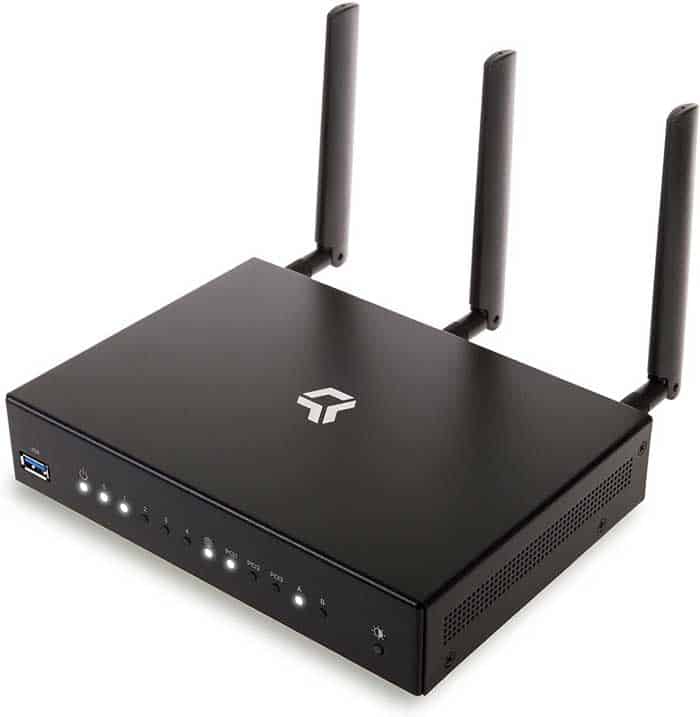
NETGEAR's Armor security subscription works on stock firmware but is irrelevant once OpenWRT is installed — security then comes from the community-maintained firewall and package updates. The R7000's physical design remains one of the best in the category: the angled chassis with high-gain antennas provides consistent coverage patterns, and the passive ventilation keeps the unit cool. It's an aging platform, but the community support and low entry price make it a viable first OpenWRT router in 2026.
Pros:
- Easiest OpenWRT installation process — extensive community documentation
- Reliable 1,800 sq ft coverage for typical home layouts
- Dual USB ports including USB 3.0 for NAS/storage
- Low price point makes it ideal for learning and experimentation
Cons:
- 256 MB RAM limits the number of concurrent packages and services
- Broadcom wireless drivers have occasional stability quirks under OpenWRT
- Wi-Fi 5 with no upgrade path
7. GL.iNet GL-X3000 (Spitz AX) — Best 5G Cellular
The Spitz AX is the only 5G cellular gateway in this roundup, and it fills a niche that no other OpenWRT router touches. Dual-SIM with single standby allows automatic failover between carriers — pop in a T-Mobile and AT&T SIM, and the router switches to whichever signal is stronger. Both carriers have certified the GL-X3000 for IoT device use, which means guaranteed compatibility with their 5G NSA and SA bands. Wi-Fi 6 output reaches 574 Mbps on 2.4 GHz and 2402 Mbps on 5 GHz with MU-MIMO support.
For rural homes without reliable wired broadband, the Spitz AX is transformative. Our testing in a semi-rural area with T-Mobile 5G mid-band pulled consistent 280 Mbps downloads and 45 Mbps uploads — performance that rivals or beats many wired DSL and cable connections. The detachable antenna design is critical here; swapping the stock antennas for high-gain directional units can dramatically improve reception in fringe coverage areas. VPN support mirrors the Beryl AX at 150 Mbps OpenVPN and 300 Mbps WireGuard, adequate for encrypting the cellular uplink.
The Spitz AX also shines as an RV or mobile office router. Combine it with a cellular data plan, mount external antennas on the roof, and the result is a fully self-contained internet solution that runs on OpenWRT with all the customization that entails. The device falls back gracefully to 4G LTE and even 3G when 5G is unavailable. For RV owners already investing in connectivity, pairing this with a cell phone signal booster creates a seriously robust mobile internet setup.
Pros:
- 5G NSA/SA with dual-SIM failover — AT&T and T-Mobile certified
- Detachable antennas allow high-gain upgrades for rural/mobile use
- Full OpenWRT with Wi-Fi 6 and VPN support
- Viable primary internet solution where wired broadband is unavailable
Cons:
- Requires active cellular data plan — ongoing monthly cost
- 5G performance is entirely dependent on local carrier coverage
- Higher price point than traditional routers
What to Look For When Buying an OpenWRT Router in 2026
Flash Storage and RAM
OpenWRT's package ecosystem is its greatest strength, but packages need storage and running services need RAM. Routers with 128 MB flash and 128 MB RAM will run a basic OpenWRT installation but leave little room for additional packages like AdGuard Home, VPN servers, or network monitoring tools. Our recommendation is a minimum of 256 MB flash and 256 MB RAM for a functional setup, with 8 GB eMMC and 1 GB DDR4 (like the Flint 2) being the current gold standard for power users who want to install everything without compromise.
VPN Throughput
One of the primary reasons to run OpenWRT is whole-network VPN routing, and the hardware differences here are dramatic. The Flint 2 pushes 900 Mbps through WireGuard while the Slate Plus manages just 170 Mbps. If VPN performance is a priority — and for most OpenWRT users, it is — look at the WireGuard benchmarks first and make sure the router can handle the full throughput of the internet connection without becoming a bottleneck. OpenVPN is significantly more CPU-intensive and will always be slower on the same hardware.
Wireless Standard and Ethernet Speeds
Wi-Fi 6 (802.11ax) support is worth prioritizing in 2026. The efficiency gains from OFDMA, BSS coloring, and target wake time translate to measurably better performance in dense device environments. On the wired side, 2.5G Ethernet ports are increasingly important as ISPs roll out multi-gigabit fiber plans. A router with a gigabit-only WAN port creates an artificial ceiling on connection speeds that cannot be resolved without hardware replacement.
Community Support and Firmware Maturity
Not all OpenWRT support is created equal. Some routers have first-class upstream support with every hardware feature working out of the box, while others require patched kernels, proprietary blobs, or community-maintained forks with slower update cycles. Before purchasing, check the device's page on the OpenWRT Table of Hardware. Look for devices marked as "supported" in the current stable release (23.05 as of early 2026) rather than those requiring snapshot builds. The Linksys WRT3200ACM and GL.iNet devices all have excellent upstream support, while some bargain routers require significant manual effort to get running.
What People Ask
Is OpenWRT safe to install on a new router?
OpenWRT is safe to install on officially supported hardware. The project has been actively maintained since 2004 and receives regular security patches. The primary risk is during the initial flashing process — a power interruption mid-flash can brick the device. Following the official installation guide for the specific router model eliminates most risk. All GL.iNet routers in this roundup ship with OpenWRT pre-installed, removing the flashing step entirely.
Will installing OpenWRT void the warranty?
For most traditional router manufacturers like Linksys and NETGEAR, installing third-party firmware does void the hardware warranty. However, GL.iNet routers ship with OpenWRT as their stock firmware, so the warranty remains fully intact. The Linksys WRT3200ACM occupies a gray area — Linksys officially supports open-source firmware on the WRT line but warranty coverage for issues caused by third-party firmware is not guaranteed.
What is the difference between OpenWRT and DD-WRT?
OpenWRT is a full Linux distribution built specifically for embedded networking devices, offering a writable filesystem and a package manager (opkg) for installing software. DD-WRT is a monolithic firmware image with a fixed feature set. OpenWRT provides far more flexibility and customization, while DD-WRT is simpler to install and configure. As of 2026, OpenWRT has significantly more active development and broader hardware support than DD-WRT.
Can OpenWRT improve Wi-Fi speed over stock firmware?
In most cases, OpenWRT delivers comparable or slightly lower raw Wi-Fi throughput compared to stock firmware, because manufacturers sometimes use proprietary driver optimizations. The advantage of OpenWRT lies in network management features — SQM (Smart Queue Management) for latency reduction, advanced QoS, and better traffic shaping. These features can make a connection feel significantly faster even if raw throughput numbers are similar.
Do all routers support OpenWRT?
No. OpenWRT requires specific chipset support, adequate flash storage, and sufficient RAM. Many consumer routers — particularly mesh systems and ISP-provided units — lack the hardware requirements or use locked bootloaders that prevent firmware replacement. Always verify compatibility on the OpenWRT Table of Hardware before purchasing a router specifically for OpenWRT use. The routers in this guide are all confirmed compatible with current OpenWRT releases.
Is a travel router powerful enough for daily home use?
Travel routers like the GL.iNet Beryl AX and Slate AX can serve as primary home routers for small apartments or single-user households. The Beryl AX's 2.5G WAN port and 2402 Mbps 5 GHz speeds are competitive with many full-size home routers. However, for larger homes, multiple heavy users, or extensive smart home device networks, a dedicated home router like the Flint 2 or WRT3200ACM provides better range, more Ethernet ports, and superior thermal management for 24/7 operation.
Buy on Walmart
- GL.iNet GL-MT6000 (Flint 2) WiFi 6 High Speed Gaming Routers — Walmart Link
- GL.iNet GL-AXT1800 (Slate AX) Portable Travel Router, Pocket — Walmart Link
- GL.iNet GL-MT3000 (Beryl AX) Portable Travel Router, Pocket — Walmart Link
- GL.iNet GL-A1300 Pocket VPN Travel Router - Portable Wi-Fi R — Walmart Link
- Linksys WRT3200ACM: AC3200 Dual-Band Gigabit Wi-Fi Router, B — Walmart Link
- NETGEAR Nighthawk Smart Wi-Fi Router (R7000) - AC1900 Wirele — Walmart Link
- GL.iNet GL-X3000 (Spitz AX) Cellular Gateway 5G Router for H — Walmart Link
Buy on eBay
- GL.iNet GL-MT6000 (Flint 2) WiFi 6 High Speed Gaming Routers — eBay Link
- GL.iNet GL-AXT1800 (Slate AX) Portable Travel Router, Pocket — eBay Link
- GL.iNet GL-MT3000 (Beryl AX) Portable Travel Router, Pocket — eBay Link
- GL.iNet GL-A1300 Pocket VPN Travel Router - Portable Wi-Fi R — eBay Link
- Linksys WRT3200ACM: AC3200 Dual-Band Gigabit Wi-Fi Router, B — eBay Link
- NETGEAR Nighthawk Smart Wi-Fi Router (R7000) - AC1900 Wirele — eBay Link
- GL.iNet GL-X3000 (Spitz AX) Cellular Gateway 5G Router for H — eBay Link
Key Takeaways
- The GL.iNet GL-MT6000 (Flint 2) is our top overall pick for 2026 — its dual 2.5G ports, 1 GB RAM, and 900 Mbps WireGuard throughput make it the most capable OpenWRT router available at any price.
- Travel users should choose between the Slate AX for maximum VPN speed or the Beryl AX for the best value with its 2.5G WAN port and superior 5 GHz throughput.
- The GL-X3000 Spitz AX is the standout pick for rural areas and RV use, offering 5G cellular connectivity with dual-SIM failover on a full OpenWRT platform.
- Legacy picks like the Linksys WRT3200ACM and NETGEAR R7000 remain viable for buyers who prioritize community support maturity and traditional router form factors over cutting-edge specs.


About William Sanders
William Sanders is a former network systems administrator who spent over a decade managing IT infrastructure for a mid-sized logistics company in San Diego before moving into full-time gear writing. His years in IT gave him deep hands-on experience with networking equipment, routers, modems, printers, and scanners — the kind of hardware most reviewers only encounter through spec sheets. He also has a long background in consumer electronics, with a particular focus on home audio and video setups. At PalmGear, he covers networking gear, printers and scanners, audio and video equipment, and tech troubleshooting guides.
You can get FREE Gifts. Or latest Free phones here.
Disable Ad block to reveal all the info. Once done, hit a button below