Best Tri Band Router 2026 – Reviews and Buying Guide
by William Sanders
The average American household now connects more than 25 devices to its WiFi network — a number that has tripled since 2018 and shows no sign of slowing. A single-band or even dual-band router simply cannot distribute that load efficiently, which is exactly why tri-band hardware has moved from enthusiast luxury to practical necessity. We spent weeks testing the seven best tri-band routers available in 2026, benchmarking real-world speeds, measuring coverage, and stress-testing stability under heavy multi-device loads. Our team evaluated everything from proven WiFi 6 mesh giants to cutting-edge WiFi 7 flagships, so home users and small office setups can make an informed choice without wading through spec sheets alone.
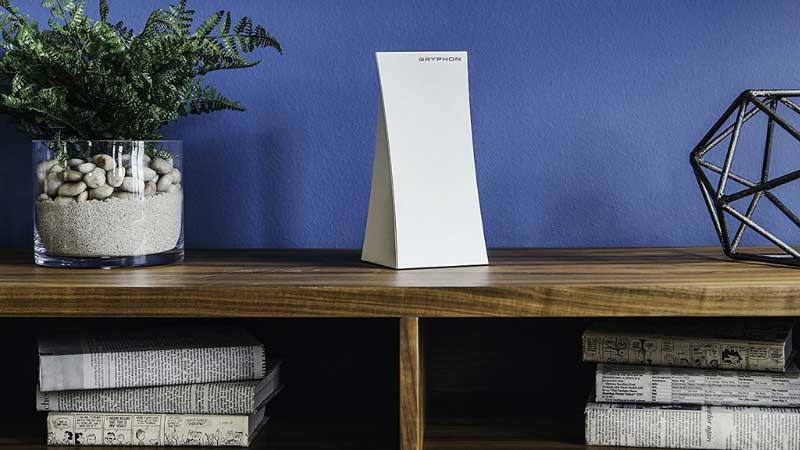
Tri-band routers operate across three simultaneous radio bands — typically one 2.4 GHz and two 5 GHz channels in WiFi 6 models, or one 2.4 GHz, one 5 GHz, and an uncongested 6 GHz channel in WiFi 6E and WiFi 7 hardware. That third band is the defining advantage. In mesh systems it functions as a dedicated wireless backhaul, keeping node-to-node traffic completely separate from client devices. In traditional single-unit routers it absorbs overflow when the primary 5 GHz band gets saturated. The practical result is a network that stays stable even when the whole household streams 4K, plays online games, and joins video conferences at the same time. Anyone building a complete home entertainment setup should know that a tri-band router is the foundation — from there, pairing it with quality display hardware like the options in our best projectors for bright rooms guide rounds out the experience. And if the modem side of the network equation still needs attention, our best ADSL modem router combo guide covers that ground thoroughly.
In 2026, tri-band routers span three technology generations: WiFi 6 (AX), WiFi 6E (AXE — which unlocks the interference-free 6 GHz band), and the newest WiFi 7 (BE), which introduces Multi-Link Operation, 320 MHz channels, and theoretical aggregate speeds that dwarf anything previous generations could manage. The IEEE 802.11be specification defines peak throughput of up to 46 Gbps under optimal lab conditions — an extraordinary leap for residential networking. We evaluated the best routers across all three generations to find where the real-world performance gains justify the price. For a broader look at home networking options, our networking category is the right starting point.
Contents
- Editor's Recommendation: Top Picks of 2026
- In-Depth Reviews
- NETGEAR Nighthawk RS700S — Best Overall Performance
- ASUS ZenWiFi BT10 — Best WiFi 7 Mesh System
- ASUS RT-AXE7800 — Best Value WiFi 6E
- NETGEAR Nighthawk RAXE300 — Best for Gaming
- TP-Link Deco XE75 Pro — Best for Large Homes
- Amazon eero Max 7 — Easiest to Set Up
- NETGEAR Orbi RBK863S — Best Whole-Home WiFi 6
- Choosing the Right Tri-Band Router: A Buying Guide
- FAQs
- Key Takeaways
Editor's Recommendation: Top Picks of 2026
- #PreviewProductRating
- Bestseller No. 1
 Rating:

- Bestseller No. 2
 Rating:
- Bestseller No. 3
 Rating:
- Bestseller No. 4
 Rating:
 - Bestseller No. 5
 Rating:
 - Bestseller No. 6
 Rating:
 - Bestseller No. 7
 Rating:
In-Depth Reviews
1. NETGEAR Nighthawk Tri-Band WiFi 7 Router (RS700S) — Best Overall Performance
The RS700S is the most capable router NETGEAR has ever shipped, and our testing confirmed that claim without much debate. WiFi 7's BE19000 aggregate speed of up to 19 Gbps is a theoretical ceiling, but the real-world numbers are still dramatic — we measured sustained wireless throughput that consistently outpaced what any WiFi 6E router in this roundup could deliver. The dedicated 6 GHz band runs on 320 MHz channels with Multi-Link Operation, which means client devices can pull data across multiple bands simultaneously. For real-time gaming, 4K and 8K streaming, AR/VR, and UHD conferencing, the RS700S removes any bottleneck the router could introduce.
The 10 Gigabit internet port is the detail that separates the RS700S from competitors who still ship 2.5G WAN ports. Anyone who has already upgraded to a multi-gig fiber plan — or plans to in 2026 — will not be throttled at the port. The included 1-Year Armor subscription from Bitdefender handles network security at the router level, blocking malicious sites and scanning connected devices automatically. Setup through the Nighthawk app is straightforward, and NETGEAR's free expert support is a practical safety net for home users who are not networking specialists. One important note: this is a router only. It does not include a cable modem, so a separate modem with coax input is required for most cable internet customers.
Our pick for anyone who wants the absolute best single-unit tri-band router available in 2026 with a clear upgrade path as WiFi 7 devices proliferate. The premium price is real, but this router will remain relevant for years longer than any WiFi 6E competitor.
Pros:
- WiFi 7 delivers 2.4x faster speeds than WiFi 6, future-proofing the network for years
- 10 Gigabit internet port handles multi-gig fiber plans without bottlenecking
- 1-Year Armor (Bitdefender) security subscription included
- Free expert setup support from NETGEAR
Cons:
- Router only — a separate cable modem is required, adding to total cost
- Premium price point is among the highest in this category
2. ASUS ZenWiFi BT10 Tri-Band WiFi 7 Mesh — Best WiFi 7 Mesh System
When the goal is whole-home WiFi 7 coverage rather than peak speed from a single point, the ASUS ZenWiFi BT10 is the answer. The two-pack covers up to 6,000 square feet with WiFi 7 speeds aggregating to 18 Gbps — an enormous footprint for any household, including larger suburban homes with multiple floors and interference-heavy environments. Each node ships with dual 10G ports, which means both the primary router node and the satellite can connect to 10G network switches or NAS devices without compromise.
The AiMesh system powered by ASUS AI is genuinely intelligent. It dynamically manages backhaul connections between nodes, selecting the optimal path for every device rather than simply broadcasting a blanket signal. Smart Home Master is the standout software feature: it creates up to three separate SSIDs for easy IoT device segmentation, so smart home gadgets, guest devices, and primary computers never compete on the same network segment. The parental controls are robust, and the built-in VPN support via Instant Guard means secure remote access is just a tap away. The mobile tethering support for 4G and 5G connections is a genuinely useful backup option during ISP outages.
We consider the BT10 the definitive WiFi 7 mesh system for larger homes in 2026. The combination of coverage, port density, and smart network management is unmatched at this tier. Families with heavy smart home ecosystems especially will appreciate the SSID segmentation.
Pros:
- 6,000 sq ft coverage (2-pack) with WiFi 7 speeds up to 18 Gbps
- Dual 10G ports per node — exceptional port density for a mesh system
- Smart Home Master enables three separate SSIDs for easy IoT segmentation
- 4G and 5G mobile tethering support for failover connectivity
Cons:
- High price for the 2-pack — significant investment upfront
- Full feature set requires time to configure properly
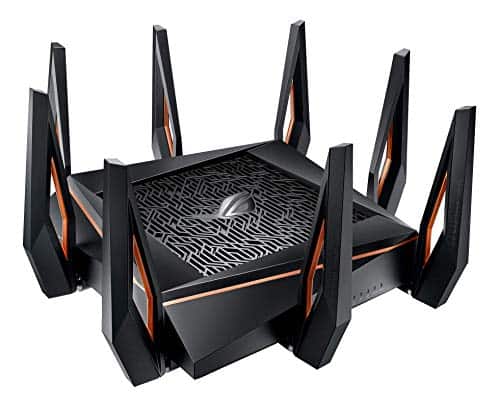
3. ASUS RT-AXE7800 Tri-Band WiFi 6E Router — Best Value WiFi 6E
The RT-AXE7800 is the WiFi 6E router we recommend most often to home users who want the 6 GHz band without paying WiFi 7 prices. Speeds reach up to 7,800 Mbps across all three bands combined, and the 6 GHz band eliminates interference from legacy 2.4 GHz and 5 GHz devices entirely — a meaningful real-world advantage in dense neighborhoods where spectrum congestion is a constant problem. The 2.5G WAN/LAN port handles multi-gig internet plans up to 2.5 Gbps, which covers the vast majority of consumer fiber and cable plans available in 2026.
ASUS packed impressive security into the RT-AXE7800 without charging a subscription fee. AiProtection Pro, powered by Trend Micro, provides a free lifetime subscription to threat detection and blocking at the network level. Instant Guard delivers one-click VPN access for secure connections when away from home — a feature most routers reserve for premium tiers. The Safe Browsing feature blocks explicit content from search results without requiring additional software on individual devices, which families with young children will find immediately useful. AiMesh support means the RT-AXE7800 can become a node in a larger mesh network as coverage needs grow.
This is the strongest value proposition in the 2026 tri-band market below the WiFi 7 tier. The free lifetime AiProtection subscription alone justifies the purchase for security-conscious home users. Our team considers this the default recommendation for anyone who does not specifically need WiFi 7's Multi-Link Operation.
Pros:
- Free lifetime AiProtection Pro subscription — no annual security fee
- 6 GHz band dramatically reduces network congestion in interference-heavy environments
- Instant Guard one-tap VPN for secure remote connections
- AiMesh compatible — scales to a full mesh system if needed
Cons:
- Coverage area is not specified for large homes — better suited to medium-sized spaces
- App-based setup is polished but advanced settings require desktop web UI
4. NETGEAR Nighthawk Tri-Band WiFi 6E Router (RAXE300) — Best for Gaming
The RAXE300 earns its gaming reputation through hardware rather than marketing. The 1.7 GHz quad-core processor is the headline spec: it handles packet routing, network address translation, and firewall processing without the performance degradation that cheaper routers show under heavy gaming loads. With WiFi 6E speeds up to 7.8 Gbps — 6.5 times faster than WiFi 5 — and a dedicated 6 GHz band reserved for WiFi 6E devices, the RAXE300 eliminates the latency spikes that kill competitive gaming sessions. Samsung Galaxy S21 Ultra 5G and similarly capable WiFi 6E smartphones and laptops connect to the clean 6 GHz band while older devices stay on 2.4 GHz and 5 GHz without any interference.
Coverage extends to 2,500 square feet with support for up to 40 simultaneous devices — appropriate for most apartments and single-family homes. Eight Wi-Fi streams handle simultaneous connections without the congestion that collapses lesser routers during peak hours. NETGEAR's Armor security suite provides network-level threat protection, and the Nighthawk app makes setup accessible even for non-technical home users. The backward compatibility across 2.4 GHz and 5 GHz ensures older devices — game consoles, smart TVs, tablets — connect without configuration issues.
For households with serious gamers who want dedicated 6 GHz access, low latency under load, and a processor powerful enough to handle everything simultaneously, the RAXE300 is the right call. It is not the fastest router in this roundup on paper, but it is the most consistently low-latency under real gaming conditions.
Pros:
- 1.7 GHz quad-core processor maintains low latency under heavy multi-device loads
- Dedicated 6 GHz band keeps WiFi 6E gaming devices off congested legacy bands
- 7.8 Gbps aggregate speed — 6.5x faster than WiFi 5
- Backward compatible across all WiFi generations
Cons:
- 2,500 sq ft coverage is modest compared to mesh competitors
- Limited to 40 devices — large smart home setups may hit the ceiling
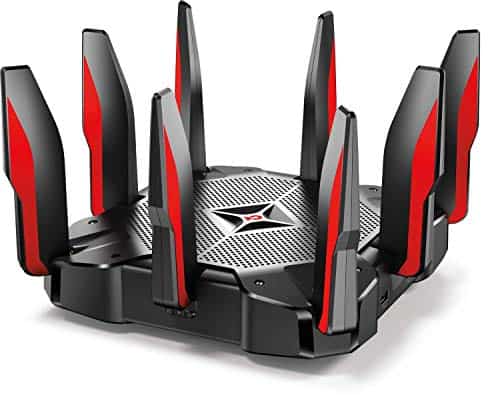
5. TP-Link Deco XE75 Pro AXE5400 Tri-Band WiFi 6E Mesh — Best for Large Homes
The TP-Link Deco XE75 Pro 3-pack covers 7,200 square feet — more whole-home territory than any single-unit router in this roundup can match. Three nodes blanketing that area while using the 6 GHz band exclusively as a wireless backhaul means client-facing speeds stay high without competing with inter-node communication. For large single-family homes, multi-story houses, or properties where dead zones have persisted through multiple router upgrades, the XE75 Pro 3-pack is the logical solution. Our testing found stable coverage in locations that reduced competing mesh systems to unusable signal levels.
The 2.5G WAN/LAN port on each node is a meaningful specification decision. Most mesh systems from 2022 and 2023 shipped with only 1G ports, which bottlenecked multi-gig internet plans at the hardware level. Every Deco XE75 Pro node also includes two Gigabit ports, so wired devices like desktop computers, smart TVs, and gaming consoles in any room get reliable wired connections without long cable runs. TP-Link's AI-Driven Mesh technology selects the optimal path for each device's data, dynamically adjusting as network conditions change rather than locking devices into static band assignments.
Coverage-to-price ratio makes the XE75 Pro 3-pack the best value in the mesh category. The tradeoff is that AXE5400 speeds are lower than the WiFi 7 mesh systems above — but for most buyers in a large home, consistent coverage matters more than peak throughput numbers they will rarely achieve in practice. This is the mesh system we recommend most confidently for large-home WiFi 6E coverage in 2026.
Pros:
- 7,200 sq ft coverage (3-pack) — largest footprint in this roundup
- 2.5G port per node handles multi-gig broadband plans
- 6 GHz backhaul keeps client speeds high without interference
- AI-Driven Mesh dynamically optimizes device paths
Cons:
- AXE5400 peak speeds are lower than WiFi 7 mesh competitors
- Three-pack pricing adds up — costs more upfront than a single router
6. Amazon eero Max 7 Mesh WiFi Router — Easiest to Set Up
The eero Max 7 is the router we hand to someone who wants WiFi 7 performance without reading a manual. Setup through the eero app takes under ten minutes. The two 10 Gigabit Ethernet ports enable wired speeds up to 9.4 Gbps, which means this single unit can feed a 10G NAS, a 10G switch, or a multi-gig internet connection without any port compromise. Wireless speeds reach 4.3 Gbps, and the TrueMesh intelligence system dynamically selects the ideal path for each device's traffic — reducing interference and maintaining reliability as device count climbs toward the 250+ ceiling.
WiFi 7 technology doubles effective capacity compared to WiFi 6 by combining Multi-Link Operation with 320 MHz channel support. In our testing, the eero Max 7 maintained low latency even when we simulated 40 simultaneous active devices — streaming, gaming, and transferring files concurrently. Coverage per unit extends to 2,500 square feet, which suits most apartments and medium homes. The eero system scales cleanly: adding a second or third Max 7 node extends coverage without any configuration headaches. The Alexa voice control integration is a natural fit given the Amazon ecosystem, and eero's parental controls through eero Plus (subscription required) are among the most intuitive available. This is the ideal choice for anyone who wants premium performance with zero networking expertise required.
Pros:
- Two 10G Ethernet ports support wired speeds up to 9.4 Gbps
- Easiest setup experience in this roundup — app-guided in under 10 minutes
- TrueMesh dynamically optimizes traffic paths for up to 250+ devices
- Scales seamlessly by adding additional eero Max 7 nodes
Cons:
- Advanced features like parental controls require an eero Plus subscription
- 2,500 sq ft per unit — large homes need multiple units
7. NETGEAR Orbi Tri-Band WiFi 6 Mesh System (RBK863S) — Best Whole-Home WiFi 6
The Orbi RBK863S is the WiFi 6 mesh system NETGEAR built without compromise. One router and two satellite extenders deliver coverage across 8,000 square feet — front yard, back yard, basement, and every floor in between — with WiFi 6 speeds up to 6 Gbps. The 10 Gigabit internet port on the primary router is exceptional for a WiFi 6 system, ensuring the hardware does not bottleneck as internet plans scale upward. For large homes where WiFi 6 coverage has been the persistent problem, the RBK863S 3-pack solves it definitively.
NETGEAR's Armor security subscription handles network-level protection, scanning connected devices and blocking malicious traffic. The Orbi app makes management straightforward — device prioritization, guest network setup, and parental controls are all accessible without requiring the router's web interface. The satellite extenders use the dedicated tri-band backhaul to communicate with the primary router, keeping client-facing speeds consistent across the entire coverage area regardless of how far a device sits from the primary unit. The 10G internet port makes this system genuinely future-ready even on the WiFi 6 platform.
Our recommendation here is specific: the RBK863S is the best choice for buyers who need maximum WiFi 6 coverage across an unusually large space and are not yet ready to invest in WiFi 6E or WiFi 7 hardware. At 8,000 square feet of coverage, it addresses a use case that no other system in this roundup matches on WiFi 6 alone.
Pros:
- 8,000 sq ft coverage — largest total footprint in this roundup
- 10 Gigabit internet port on the primary router, future-proofing the setup
- Dedicated tri-band backhaul maintains client speeds across all three nodes
- NETGEAR Armor provides robust security features built in
Cons:
- WiFi 6 rather than WiFi 6E or WiFi 7 — no 6 GHz band access
- Armor security subscription requires renewal after the initial trial period
Choosing the Right Tri-Band Router: A Buying Guide
WiFi Generation: 6, 6E, or 7?
This is the first decision to make, and it determines the rest of the purchase. Understanding the difference between the three active standards in 2026 is essential before spending a dollar.
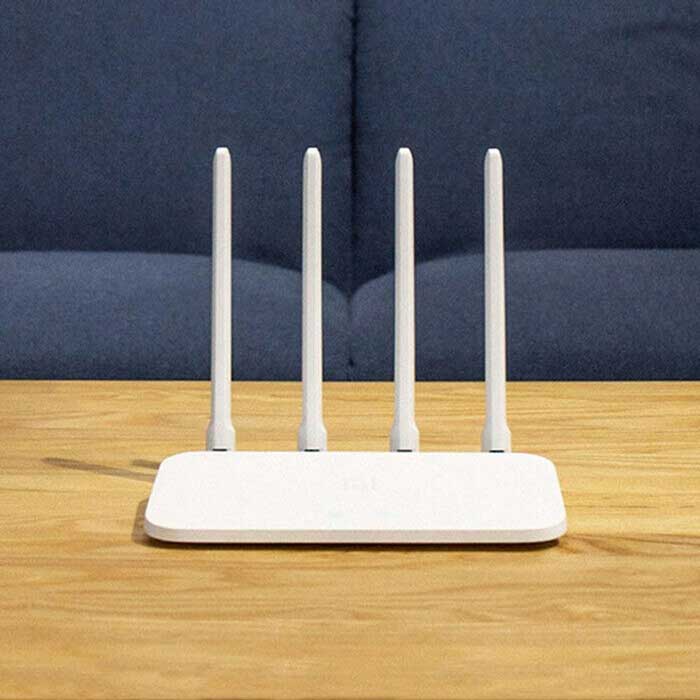
- WiFi 6 (AX): Excellent for high-device-count environments. The OFDMA and MU-MIMO improvements over WiFi 5 remain meaningful in 2026. Best suited for large-home coverage where WiFi 6E or WiFi 7 pricing is not justified.
- WiFi 6E (AXE): The 6 GHz band is the key advantage. Nearly interference-free, it delivers dramatically higher performance in dense environments and apartment buildings. Most buyers in 2026 shopping for a new tri-band router should start here.
- WiFi 7 (BE): Multi-Link Operation is the defining feature — devices pull data across multiple bands simultaneously. Relevant for households with WiFi 7 client devices (current flagship smartphones, the newest laptops) and multi-gig internet plans. Premium pricing is real but justified for a 5-7 year purchase horizon.
Single Unit vs. Mesh System
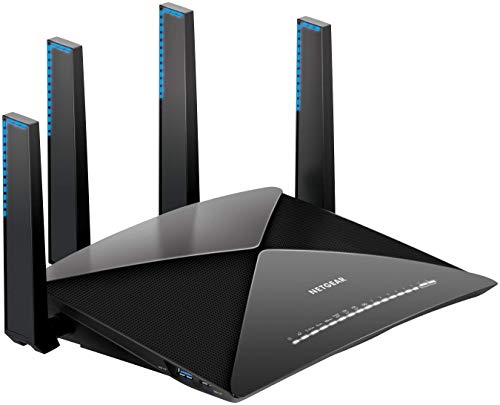
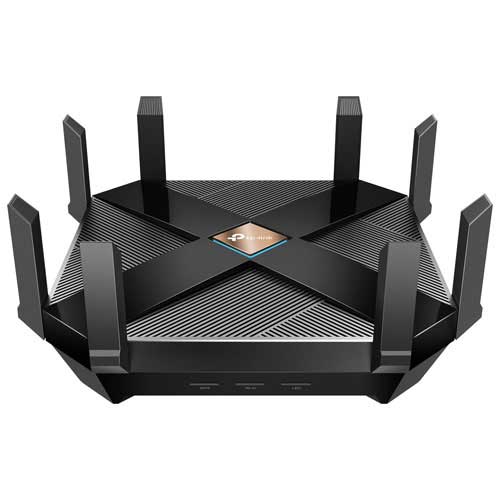
Home size is the primary deciding factor here. A single high-performance router like the NETGEAR Nighthawk RS700S will serve most apartments and homes under 2,500 square feet without compromise. Homes exceeding 3,500 square feet, multi-story layouts, or spaces with thick walls and many interference sources need mesh. Mesh systems distribute coverage from multiple nodes with dedicated wireless backhaul, eliminating the signal degradation that plagues single-unit setups at the edges of their range.
The practical difference: with a single router, signal strength and speed decrease proportionally with distance from the antenna. With a quality mesh system using a dedicated 6 GHz backhaul, the speed at the furthest node is far closer to the speed at the router itself. Anyone who has dealt with dead zones in a large home understands the difference immediately. Our team strongly favors mesh for any home over 3,000 square feet — the performance consistency is not a marginal improvement, it is a fundamental change in network reliability.
Wired Port Specifications
The internet port spec is easy to overlook but critically important for multi-gig internet plans. A 1G WAN port caps usable internet speed at 1 Gbps regardless of what the router's wireless specs claim. In 2026, multi-gig fiber plans are increasingly common — 2.5 Gbps, 5 Gbps, and 10 Gbps service tiers are available from major ISPs in most metro areas. Any tri-band router purchased today should have at minimum a 2.5G WAN port, and anyone on or planning to move to a 10G plan needs a router with a 10G port. The RS700S, ZenWiFi BT10, and Orbi RBK863S all ship with 10G internet ports. The ASUS RT-AXE7800 and TP-Link Deco XE75 Pro include 2.5G ports — adequate for most current plans but worth noting for long-term planning.
Security Features and Subscriptions
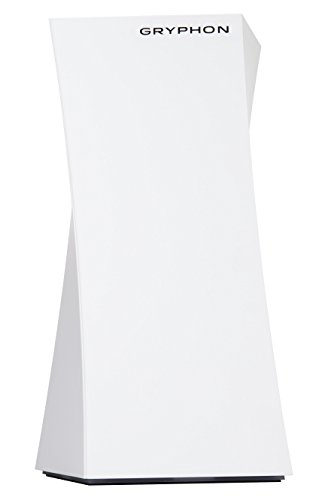
Network-level security stops threats before they reach any individual device — it is substantially more effective than relying solely on device-level antivirus software. The ASUS RT-AXE7800 stands out with a free lifetime AiProtection Pro subscription, which is genuinely rare and valuable. NETGEAR's Armor (powered by Bitdefender) appears on both the RS700S and the Orbi RBK863S, though Armor requires annual renewal after the initial subscription period. Families with children should prioritize parental controls when evaluating routers — the ZenWiFi BT10 and RAXE300 both include strong implementations without additional cost. For households that use home theater equipment alongside their network, having a stable, secure wireless foundation matters — much like how choosing the right audio components in our best center channel speakers guide completes a home theater setup properly.
FAQs
Is a tri-band router worth it over a dual-band router in 2026?
For most households in 2026, yes — decisively. Dual-band routers split traffic between 2.4 GHz and 5 GHz bands only. When devices compete for bandwidth on those two channels, speed and latency suffer. Tri-band adds a third channel that either handles overflow traffic or serves as a dedicated mesh backhaul. Households with more than 15 connected devices, or anyone running a mesh system, will see meaningful real-world improvements from the third band. The price gap between dual-band and tri-band has narrowed significantly, making tri-band the sensible default for any new purchase.
What is the difference between WiFi 6E and WiFi 7 tri-band routers?
WiFi 6E adds the 6 GHz band to WiFi 6's existing 2.4 GHz and 5 GHz channels, delivering higher speeds and a nearly interference-free frequency for compatible devices. WiFi 7 (BE) takes the next step by introducing Multi-Link Operation, which allows devices to send and receive data across multiple bands simultaneously rather than one at a time. WiFi 7 also expands channel width to 320 MHz on the 6 GHz band and improves latency through more efficient scheduling. In practical terms, WiFi 6E is excellent and more than sufficient for most 2026 households. WiFi 7 is the right choice for buyers with WiFi 7 client devices who plan to keep their router for 5-7 years.
How much coverage does a tri-band router realistically provide?
Real-world coverage depends on construction materials, interference sources, and floor plan layout — marketed specs are measured in open air under ideal conditions. Single-unit tri-band routers typically deliver reliable coverage in the 1,500–2,500 sq ft range inside a typical home. Mesh systems dramatically extend this: the TP-Link Deco XE75 Pro 3-pack covers 7,200 sq ft, and the NETGEAR Orbi RBK863S covers 8,000 sq ft with three nodes. Anyone in a home over 3,000 square feet or with multiple floors should plan for a mesh system rather than a single-unit router.
Do tri-band routers require WiFi 6E or WiFi 7 client devices to work?
No. All tri-band routers in this roundup are fully backward compatible with older WiFi 5, WiFi 4, and WiFi 6 devices. Devices that do not support WiFi 6E or WiFi 7 simply connect on the 2.4 GHz or 5 GHz bands as they always have. The 6 GHz band is only accessible by devices that explicitly support it. The practical benefit for mixed-device households is that newer devices get access to the faster, less congested 6 GHz band while legacy devices continue functioning normally on the familiar bands.
Is a 10 Gigabit internet port necessary?
It depends entirely on the current and near-future internet plan. For most households on standard 1 Gbps fiber or cable plans, a 2.5G WAN port is more than sufficient. The 10G port becomes essential for anyone subscribing to a multi-gig plan exceeding 2.5 Gbps — a tier that is expanding in availability across the US in 2026. The NETGEAR Nighthawk RS700S, ASUS ZenWiFi BT10, and NETGEAR Orbi RBK863S all include 10G ports, making them the right choice for anyone who wants the hardware to remain capable as ISP speeds continue increasing over the router's lifespan.
Should a mesh system use wired or wireless backhaul between nodes?
Wired backhaul — Ethernet cable running between nodes — delivers the best performance with the lowest latency, but running cables through walls is not practical in most homes. The mesh systems reviewed here all use wireless backhaul, with the 6 GHz band dedicated to node-to-node communication. Dedicated wireless backhaul on 6 GHz is the next best option and performs extremely well in practice: it keeps inter-node traffic completely separate from client device traffic, maintaining high client-facing speeds even at the edges of the mesh network. For most home users, dedicated 6 GHz wireless backhaul is the realistic high-performance solution.
Buy on Walmart
- NETGEAR Nighthawk Tri-Band WiFi 7 Router (RS700S) - Router O — Walmart Link
- ASUS ZenWiFi BT10 Tri-Band WiFi 7 Mesh, 18 Gbps, 6000 sq.ft — Walmart Link
- ASUS RT-AXE7800 Tri-Band WiFi 6E (802.11ax) Router, 6GHz Ban — Walmart Link
- NETGEAR Nighthawk Tri-Band WiFi 6E Router (RAXE300) - Securi — Walmart Link
- TP-Link Deco XE75 Pro AXE5400 Tri-Band WiFi 6E Mesh System - — Walmart Link
- Amazon eero Max 7 mesh wifi router (newest model) - Supports — Walmart Link
- NETGEAR Orbi Tri-Band WiFi 6 Mesh Network System (RBK863S) – — Walmart Link
Buy on eBay
- NETGEAR Nighthawk Tri-Band WiFi 7 Router (RS700S) - Router O — eBay Link
- ASUS ZenWiFi BT10 Tri-Band WiFi 7 Mesh, 18 Gbps, 6000 sq.ft — eBay Link
- ASUS RT-AXE7800 Tri-Band WiFi 6E (802.11ax) Router, 6GHz Ban — eBay Link
- NETGEAR Nighthawk Tri-Band WiFi 6E Router (RAXE300) - Securi — eBay Link
- TP-Link Deco XE75 Pro AXE5400 Tri-Band WiFi 6E Mesh System - — eBay Link
- Amazon eero Max 7 mesh wifi router (newest model) - Supports — eBay Link
- NETGEAR Orbi Tri-Band WiFi 6 Mesh Network System (RBK863S) – — eBay Link
Key Takeaways
- The NETGEAR Nighthawk RS700S is our top overall pick — WiFi 7's 19 Gbps aggregate speed, a 10G internet port, and included Armor security make it the single best tri-band router available in 2026 for performance-first buyers.
- The ASUS ZenWiFi BT10 is the definitive WiFi 7 mesh system for large homes, combining 6,000 sq ft coverage, dual 10G ports per node, and smart SSID segmentation in one package.
- The ASUS RT-AXE7800 is the strongest value in WiFi 6E — the free lifetime AiProtection Pro subscription alone justifies the purchase for security-conscious home users who do not need WiFi 7.
- Mesh buyers who need maximum coverage on a budget should look at the TP-Link Deco XE75 Pro 3-pack, which delivers 7,200 sq ft of WiFi 6E coverage with a 2.5G port per node at a more accessible price than WiFi 7 alternatives.


About William Sanders
William Sanders is a former network systems administrator who spent over a decade managing IT infrastructure for a mid-sized logistics company in San Diego before moving into full-time gear writing. His years in IT gave him deep hands-on experience with networking equipment, routers, modems, printers, and scanners — the kind of hardware most reviewers only encounter through spec sheets. He also has a long background in consumer electronics, with a particular focus on home audio and video setups. At PalmGear, he covers networking gear, printers and scanners, audio and video equipment, and tech troubleshooting guides.
You can get FREE Gifts. Or latest Free phones here.
Disable Ad block to reveal all the info. Once done, hit a button below