Top 7 Verizon FiOS Compatible Routers in 2026
by William Sanders
The ASUS RT-BE88U takes the top spot for Verizon FiOS in 2026, delivering WiFi 7 speeds up to 7200 Mbps with dual 10G ports that fully exploit gigabit and multi-gig fiber plans. Verizon's fiber optic service (FiOS) remains one of the fastest residential internet options in the United States, but the bundled gateway router often holds back the full potential of those blazing speeds. Swapping it out for a third-party router unlocks better range, stronger security features, and more control over the home network.
Choosing the right replacement router for FiOS comes down to a few core factors: Ethernet handoff compatibility, WiFi generation (WiFi 6 vs. WiFi 7), coverage area, and the number of connected devices in the household. Modern homes in 2026 run dozens of smart devices — from security cameras and thermostats to streaming boxes and gaming consoles — so a capable router isn't a luxury anymore. It's a necessity. For buyers also shopping for other ISPs, check out the guide to Spectrum compatible routers or Comcast Xfinity compatible routers for similar breakdowns.
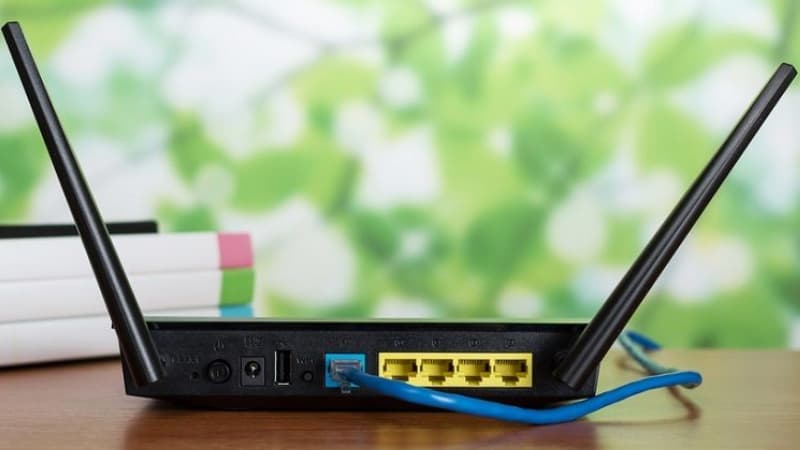
This roundup covers the seven best FiOS-compatible routers available right now, spanning every budget and use case — from entry-level WiFi 6 options to premium WiFi 7 mesh systems. Every pick has been evaluated for raw throughput, FiOS Ethernet handoff compatibility, range, and real-world multi-device performance. Whether the goal is maxing out a 2 Gbps plan or just getting reliable coverage throughout a three-story home, there's a solid match on this list.
Contents
Standout Models in 2026
- #PreviewProductRating
- Bestseller No. 1
 Rating:

- Bestseller No. 2
 Rating:
- Bestseller No. 3
 Rating:
- Bestseller No. 4
 Rating:
 - Bestseller No. 5
 Rating:
 - Bestseller No. 6
 Rating:
 - Bestseller No. 7
 Rating:
In-Depth Reviews
1. ASUS RT-BE88U — Best Overall for FiOS
The ASUS RT-BE88U is the router to beat for Verizon FiOS subscribers who want to future-proof their home network. Built on the WiFi 7 standard (802.11be), it pushes combined wireless throughput up to 7200 Mbps thanks to 4K-QAM (quadrature amplitude modulation — a method that packs more data into each wireless signal) and Multi-Link Operation (MLO), which lets devices send data across multiple frequency bands simultaneously. That's a massive leap over WiFi 6 routers, and it means less congestion when dozens of devices are online at once.
The port selection alone sets the RT-BE88U apart from competitors. It packs a 10G SFP+ port and a standard 10G WAN/LAN port, giving it a total wired capacity of 34 Gbps. Four additional 2.5G ports and four 1G ports round out the back panel, making it an excellent hub for NAS drives, desktops, and media servers. For FiOS users on the 2 Gbps plan, the 10G WAN port ensures the router never becomes a bottleneck.
ASUS AiProtection Pro delivers subscription-free network security powered by Trend Micro, including intrusion prevention, malware blocking, and parental controls. The built-in VPN server supports both WireGuard and OpenVPN, and the AI-powered WAN detection automatically fails over to a USB-tethered 4G LTE or 5G hotspot if the fiber connection drops. AiMesh compatibility means the RT-BE88U can serve as the core node in a whole-home mesh system by pairing it with other ASUS extendable routers.
Pros:
- WiFi 7 with MLO and 4K-QAM delivers genuinely next-gen wireless speeds
- Dual 10G ports (SFP+ and standard) handle multi-gig FiOS plans with headroom to spare
- Subscription-free AiProtection Pro security and built-in VPN
- AiMesh support for expandable whole-home coverage
Cons:
- Premium price tag — overkill for FiOS plans under 1 Gbps
- Large physical footprint takes up significant shelf or desk space
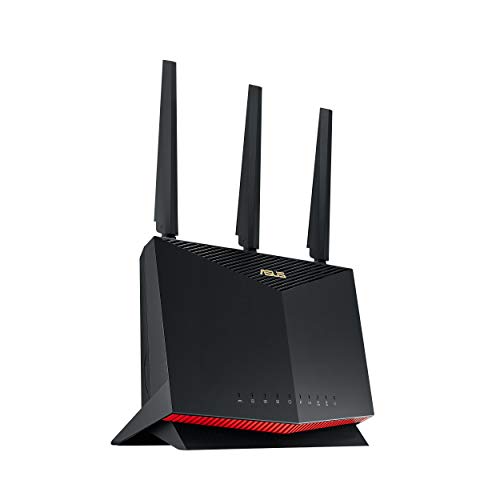
2. ASUS RT-AX86U Pro — Best Budget WiFi 6 Option
The RT-AX86U Pro delivers outstanding value as a renewed unit, giving FiOS subscribers access to ASUS's proven WiFi 6 platform at a fraction of the original retail price. With AX5700 dual-band speeds, it handles FiOS plans up to 1 Gbps without breaking a sweat. The 2.5G WAN port is a key feature — most competing WiFi 6 routers cap out at gigabit Ethernet on the WAN side, creating an artificial bottleneck on faster plans.
Gamers appreciate the dedicated Mobile Game Mode, which prioritizes traffic from mobile gaming apps for lower ping times. Port forwarding is straightforward through the ASUSWRT interface, and the subscription-free network security suite includes the same AiProtection Pro found on ASUS's flagship models. The RT-AX86U Pro also supports AiMesh, so it can be paired with other ASUS routers to extend coverage across larger homes.
As a renewed product, buyers should note that cosmetic imperfections are possible, though the unit is tested and certified to function like new. For most FiOS households on 300 Mbps or 500 Mbps plans, this router provides far more performance than the Verizon-supplied gateway at a very reasonable cost.
Pros:
- 2.5G WAN port handles FiOS speeds beyond standard gigabit Ethernet
- Mobile Game Mode reduces latency for mobile and console gaming
- Subscription-free security and VPN built in
- Renewed pricing makes it one of the most affordable ASUS options
Cons:
- Renewed unit — minor cosmetic wear possible
- WiFi 6 only — no WiFi 7 future-proofing
3. ASUS ZenWiFi BT10 — Best WiFi 7 Mesh System
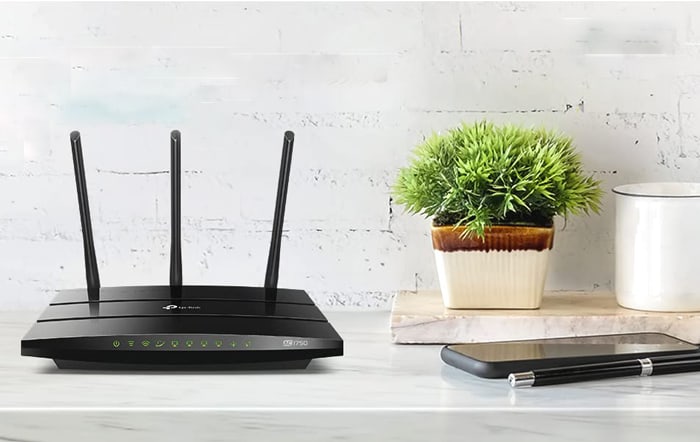
For large homes where a single router can't reach every corner, the ASUS ZenWiFi BT10 is the premium mesh solution. This tri-band WiFi 7 system delivers combined speeds up to 18 Gbps and blankets up to 6,000 square feet with strong, consistent signal — enough for most four- or five-bedroom houses. The two-pack includes a router and a satellite node, and additional nodes can be added through AiMesh to scale coverage even further.
The tri-band design dedicates one band exclusively for backhaul (communication between the router and satellite), so the two remaining bands stay fully available for client devices. Each unit features dual 10G ports, which means the router node can connect directly to FiOS via 10G Ethernet while the satellite node provides a high-speed wired connection to a home office or media center. Smart Home Master creates up to three separate SSIDs (network names), making it simple to segment IoT devices like smart locks and cameras from personal computers and phones for better security.
Setup runs through the ASUS app, and the AI-powered AiMesh engine automatically optimizes backhaul routing and band steering. Parental controls and a built-in VPN come included without any subscription. The ZenWiFi BT10 also supports 4G and 5G mobile tethering as a failover internet source, which is valuable for home offices that can't afford any downtime.
Pros:
- Tri-band WiFi 7 mesh covers up to 6,000 sq. ft. with no dead zones
- Dual 10G ports on each unit — ideal for multi-gig FiOS plans
- Smart Home Master offers dedicated IoT SSIDs for network segmentation
- AI-powered backhaul optimization keeps speeds consistent between nodes
Cons:
- High price point for a two-pack system
- Overkill for apartments or small homes under 1,500 sq. ft.
4. NETGEAR Orbi RBK863S — Best for Large Homes
The NETGEAR Orbi RBK863S is built for sprawling properties. With a router plus two satellite extenders, this tri-band WiFi 6 mesh system covers up to 8,000 square feet — more than any other option on this list. That kind of reach extends coverage into garages, backyards, and detached workshops without adding extra nodes. Combined wireless speeds hit up to 6 Gbps across the three bands, with a dedicated backhaul band keeping the mesh backbone strong.
The 10 Gig internet port on the router node is a standout feature for FiOS subscribers on higher-tier plans. It connects directly to the ONT (optical network terminal) via a 10G Ethernet cable, ensuring no bottleneck between the fiber line and the router. Each satellite also includes a 2.5G Ethernet port for wired devices. NETGEAR Armor (powered by Bitdefender) provides advanced threat protection, though it requires a paid subscription after the trial period ends.
The Orbi system supports up to 100 simultaneous devices, making it a strong pick for households with extensive smart home setups. Setup is handled through the Orbi app, and firmware updates roll out automatically. The main drawback is the ongoing Armor subscription cost — unlike ASUS routers that include security features for free.
Pros:
- 8,000 sq. ft. coverage — the largest footprint in this roundup
- 10 Gig internet port fully supports multi-gig FiOS plans
- Tri-band with dedicated backhaul keeps client-facing bands uncluttered
- Handles up to 100 connected devices simultaneously
Cons:
- NETGEAR Armor security requires a paid subscription after trial
- Three-piece system takes up more physical space than single routers
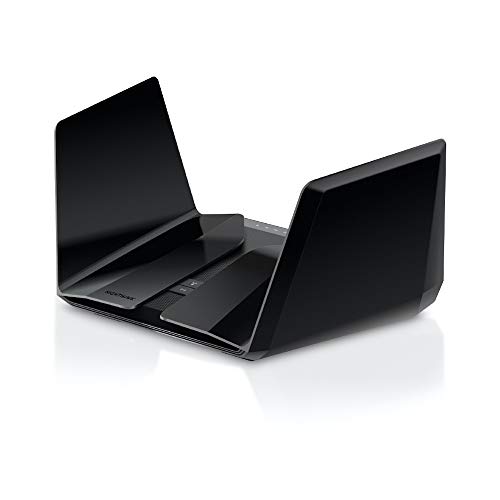
5. NETGEAR Nighthawk RAX120 — Best for Streaming Households
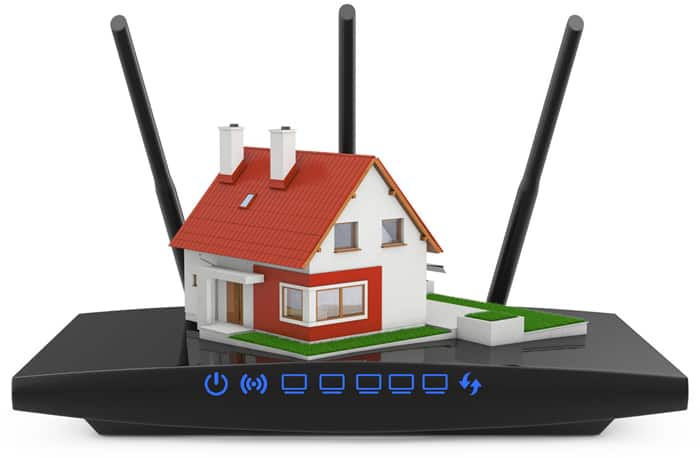
The Nighthawk RAX120 remains a dependable workhorse for FiOS households where streaming is the primary activity. This 12-stream dual-band WiFi 6 router pushes combined speeds up to 6 Gbps and covers up to 3,500 square feet. Beamforming+ technology focuses the WiFi signal directly toward connected devices rather than broadcasting in all directions, resulting in stronger connections and fewer dead spots throughout the home.
Twelve simultaneous streams mean the RAX120 handles multiple 4K and 8K video feeds without stuttering. MU-MIMO (multi-user, multiple-input, multiple-output) lets the router communicate with several devices at the same time rather than taking turns, which makes a noticeable difference during peak usage hours when everyone's streaming, gaming, or on video calls. The router also includes a 5 Gbps multi-gig Ethernet port for wired connections to devices that demand maximum throughput.
One limitation to keep in mind: the RAX120 is a standalone router, not a mesh system. Buyers with homes larger than 3,500 square feet should consider pairing it with a WiFi extender or looking at mesh alternatives. For mid-size homes and apartments, though, it offers tremendous single-unit performance at a more accessible price than full mesh kits. Those shopping specifically for apartment-friendly routers will find the RAX120's coverage area is a natural fit.
Pros:
- 12 streams and AX6000 speeds handle heavy streaming and gaming loads
- Beamforming+ improves signal strength and range to connected devices
- 5 Gbps multi-gig Ethernet port for high-speed wired connections
- 3,500 sq. ft. coverage suits most mid-size homes
Cons:
- No mesh capability — limited to single-router coverage
- Bulky wing-style antenna design takes up shelf space
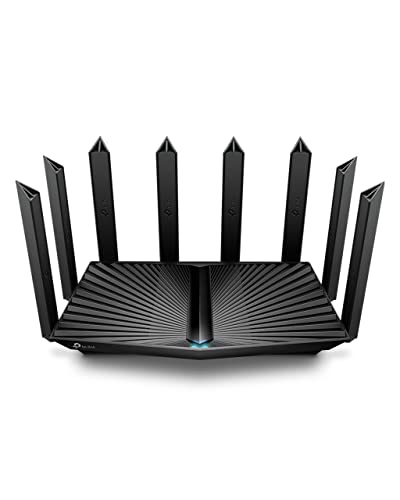
6. TP-Link Archer AX80 — Best Value WiFi 6 Router
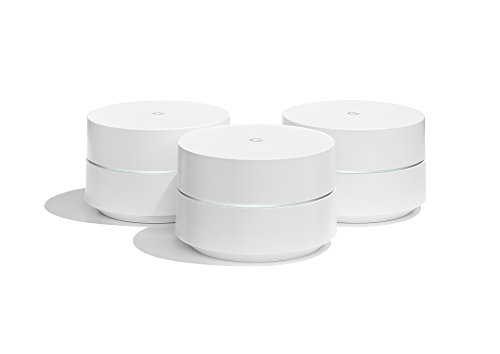
The TP-Link Archer AX80 hits the sweet spot between performance and affordability. It packs AX6000 dual-band WiFi 6 speeds — 4804 Mbps on the 5 GHz band and 1148 Mbps on the 2.4 GHz band — into a sleek, vertical design that blends into most living rooms. Eight high-gain internal antennas with beamforming deliver strong coverage across large floor plans, and the 2.5G multi-gigabit WAN port ensures compatibility with FiOS plans that exceed standard gigabit speeds.
Where the Archer AX80 really shines is in device density. OFDMA (orthogonal frequency-division multiple access — a technology that lets the router serve multiple devices within a single transmission) and MU-MIMO work together to keep throughput high even when 40 or 50 devices are connected. TP-Link's OneMesh platform allows pairing with compatible TP-Link range extenders to create a seamless mesh network, offering an upgrade path for buyers who start with one router and need more coverage later.
The Tether app provides straightforward setup and management, including parental controls and QoS (quality of service) priority settings. AP mode lets the Archer AX80 work alongside an existing router or modem-router combo if needed. For FiOS subscribers who want multi-gig WAN support and WiFi 6 performance without spending flagship prices, this is the router to grab.
Pros:
- 2.5G WAN port prevents bottlenecking on multi-gig FiOS plans
- OFDMA and MU-MIMO efficiently serve dozens of devices at once
- OneMesh compatibility provides an affordable mesh upgrade path
- Competitive pricing undercuts comparable ASUS and NETGEAR models
Cons:
- No 10G port — limited to 2.5G maximum wired throughput
- TP-Link's security features are less robust than ASUS AiProtection
7. Amazon eero Max 7 — Best for Simplicity
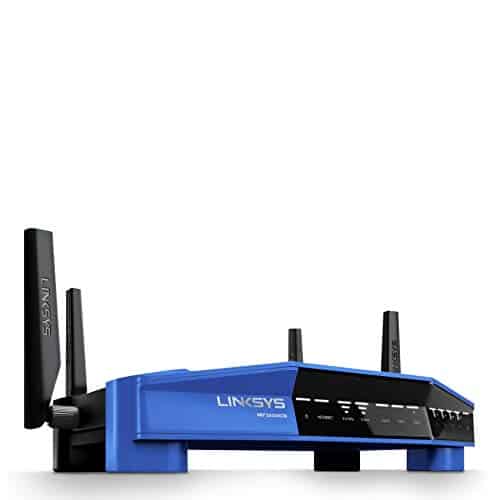
Amazon's eero Max 7 is the easiest WiFi 7 router to set up and manage. Where competitors pack their interfaces with dozens of configuration screens and toggles, the eero app distills everything into a clean, intuitive experience that takes about five minutes from unboxing to browsing. For FiOS subscribers who just want fast, reliable internet without becoming networking experts, the eero Max 7 is the path of least resistance.
Despite the simplicity, the hardware is serious. Two 10 Gigabit Ethernet ports deliver wired speeds up to 9.4 Gbps, and wireless speeds reach up to 4.3 Gbps with WiFi 7 technology. The patented TrueMesh routing algorithm constantly analyzes network conditions and reroutes traffic to avoid interference and congestion. Additional eero nodes can be added to create a whole-home mesh, and the system supports up to 250 connected devices — more than enough for even the most connected smart homes.
The eero Max 7 integrates natively with Alexa and other Amazon smart home services. An optional eero Plus subscription adds advanced security features, ad blocking, and VPN protection through Encrypt.me. The single-pack unit covers about 2,500 square feet, which works for most apartments and smaller houses. Larger homes should budget for a multi-pack or additional eero nodes. For more on choosing networking gear that matches specific needs, the buying guide below breaks down the key decision points.
Pros:
- Simplest setup and management experience of any WiFi 7 router
- Two 10 GbE ports provide multi-gig wired connectivity
- TrueMesh dynamically optimizes signal paths for consistent performance
- Supports up to 250 devices — highest count in this roundup
Cons:
- Advanced security features require a paid eero Plus subscription
- Limited manual configuration options compared to ASUS or NETGEAR
How to Pick the Best Verizon FiOS Compatible Router
FiOS Ethernet Handoff and ONT Compatibility
Verizon FiOS delivers internet through a fiber optic line that terminates at an ONT (optical network terminal) installed in or outside the home. The ONT converts the fiber signal to Ethernet, which connects to the router's WAN port. The critical requirement is that any replacement router must support Ethernet WAN — coax-only routers won't work unless the ONT is configured for Ethernet output. Most modern ONTs support Ethernet by default, but subscribers on older installations may need to call Verizon to switch the ONT from coax to Ethernet handoff. Once that's done, any standard router with an Ethernet WAN port is compatible.
WiFi Generation: WiFi 6 vs. WiFi 7
WiFi 6 (802.11ax) routers remain perfectly capable for FiOS plans up to 1 Gbps and serve most households well in 2026. WiFi 7 (802.11be) brings meaningful upgrades for power users:
- Multi-Link Operation (MLO) — devices connect across multiple bands simultaneously, reducing latency and increasing throughput
- 4K-QAM — packs 20% more data per transmission compared to WiFi 6's 1K-QAM
- 320 MHz channels — double the channel width of WiFi 6 for faster peak speeds
For FiOS subscribers on the 2 Gbps plan or those planning to stay in their home for several years, WiFi 7 is worth the investment. For budget-conscious buyers on plans under 1 Gbps, WiFi 6 delivers excellent value without the premium price tag.
Coverage Area and Mesh vs. Single Router
A single router typically covers 1,500 to 3,500 square feet depending on construction materials, floor plan layout, and interference sources. Homes built with thick concrete, brick, or plaster walls significantly reduce WiFi range compared to standard drywall. As a general rule:
- Under 2,000 sq. ft. — a single router handles most floor plans
- 2,000–4,000 sq. ft. — consider a two-node mesh system or router + extender
- Over 4,000 sq. ft. — a three-node mesh system is the safest bet for full coverage
Mesh systems cost more upfront but eliminate dead zones far more reliably than a single router paired with a cheap extender. According to the Wi-Fi Alliance, WiFi 7 mesh systems also benefit from improved backhaul efficiency, keeping speeds consistent even in the farthest rooms.
WAN Port Speed and Future-Proofing
The WAN port is the gateway between the FiOS ONT and the router. If the WAN port maxes out at 1 Gbps, the router caps internet speed at 1 Gbps regardless of the FiOS plan. Here's what to look for based on the current plan:
- FiOS 300 Mbps or 500 Mbps — a standard 1G Ethernet WAN port is sufficient
- FiOS 1 Gbps — a 2.5G WAN port provides headroom and avoids hitting the ceiling
- FiOS 2 Gbps — a 10G WAN port is essential to receive the full speed
Even for subscribers on lower-tier plans today, choosing a router with at least a 2.5G WAN port makes sense. Verizon has been aggressively rolling out faster tiers, and upgrading the plan shouldn't require buying a new router.
Frequently Asked Questions
Can any router be used with Verizon FiOS?
Any router with an Ethernet WAN port works with Verizon FiOS, as long as the ONT is configured for Ethernet handoff rather than coax. Most FiOS installations from 2018 onward use Ethernet by default. Older setups may require a call to Verizon to switch the ONT output from coax to Ethernet, which is a free service change.
Does replacing the Verizon router affect the FiOS TV service?
If the home only has internet service, replacing the router has no impact. For subscribers with FiOS TV, the set-top boxes need to connect to the network for guide data and on-demand content. A third-party router handles this fine — the set-top boxes connect via Ethernet or MoCA (coax networking) through the ONT. The only feature lost is the Verizon router's built-in MoCA bridge, which some older TV setups rely on.
Is WiFi 7 worth it for Verizon FiOS in 2026?
For subscribers on FiOS plans of 1 Gbps or higher, WiFi 7 offers meaningful benefits including lower latency, higher peak throughput, and better multi-device performance through MLO. For plans under 500 Mbps, WiFi 6 routers deliver the same real-world experience at a lower cost. WiFi 7 becomes a stronger value proposition for households with 30+ connected devices or those who plan to keep the router for three or more years.
What WAN port speed is needed for FiOS gigabit?
A 1 Gbps WAN port technically works for a gigabit plan, but overhead from the Ethernet protocol means actual throughput tops out around 940 Mbps. A 2.5G WAN port eliminates this ceiling and allows the full gigabit speed to pass through. For FiOS 2 Gbps plans, a 10G WAN port is required to receive the full provisioned speed.
Do mesh systems work well with Verizon FiOS?
Mesh systems work excellently with FiOS. The router node connects to the ONT via Ethernet just like any standalone router, and the satellite nodes extend coverage wirelessly or through wired backhaul. Tri-band mesh systems with a dedicated backhaul band deliver the best performance because client devices don't share bandwidth with inter-node communication. Both the ASUS ZenWiFi BT10 and NETGEAR Orbi RBK863S are proven performers on FiOS networks.
How do buyers set up a third-party router with FiOS?
Setup is straightforward. Disconnect the Ethernet cable from the Verizon gateway's WAN port and plug it into the new router's WAN port. Power on the new router and follow its setup wizard (usually through a mobile app or web browser). The router obtains an IP address from Verizon's network automatically via DHCP. No special configuration, PPPoE credentials, or VLAN tagging is required for standard FiOS internet service.
Buy on Walmart
- ASUS RT-BE88U Dual-Band WiFi 7 AiMesh Extendable Performance — Walmart Link
- ASUS RT-AX86U Pro (AX5700) Dual Band WiFi 6 Extendable Gamin — Walmart Link
- ASUS ZenWiFi BT10 Tri-Band WiFi 7 Mesh, 18 Gbps, 6000 sq.ft — Walmart Link
- NETGEAR Orbi Tri-Band WiFi 6 Mesh Network System (RBK863S) – — Walmart Link
- NETGEAR Nighthawk WiFi 6 Router (RAX120) 12-Stream Dual-Band — Walmart Link
- TP-Link AX6000 Wi-Fi 6 Router (Archer AX80) – Dual Band, 2.5 — Walmart Link
- Amazon eero Max 7 mesh wifi router (newest model) - Supports — Walmart Link
Buy on eBay
- ASUS RT-BE88U Dual-Band WiFi 7 AiMesh Extendable Performance — eBay Link
- ASUS RT-AX86U Pro (AX5700) Dual Band WiFi 6 Extendable Gamin — eBay Link
- ASUS ZenWiFi BT10 Tri-Band WiFi 7 Mesh, 18 Gbps, 6000 sq.ft — eBay Link
- NETGEAR Orbi Tri-Band WiFi 6 Mesh Network System (RBK863S) – — eBay Link
- NETGEAR Nighthawk WiFi 6 Router (RAX120) 12-Stream Dual-Band — eBay Link
- TP-Link AX6000 Wi-Fi 6 Router (Archer AX80) – Dual Band, 2.5 — eBay Link
- Amazon eero Max 7 mesh wifi router (newest model) - Supports — eBay Link
Key Takeaways
- The ASUS RT-BE88U is the best overall FiOS router in 2026, offering WiFi 7 speeds, dual 10G ports, and subscription-free security that fully exploits multi-gig fiber plans.
- For large homes over 4,000 square feet, the NETGEAR Orbi RBK863S mesh system provides 8,000 sq. ft. of tri-band coverage with a 10G internet port — no dead zones anywhere.
- Budget-conscious buyers get excellent FiOS performance from the TP-Link Archer AX80, which pairs a 2.5G WAN port and WiFi 6 AX6000 speeds at a fraction of flagship pricing.
- Any router with an Ethernet WAN port works with FiOS — just connect it to the ONT, and no special configuration or credentials are needed.


About William Sanders
William Sanders is a former network systems administrator who spent over a decade managing IT infrastructure for a mid-sized logistics company in San Diego before moving into full-time gear writing. His years in IT gave him deep hands-on experience with networking equipment, routers, modems, printers, and scanners — the kind of hardware most reviewers only encounter through spec sheets. He also has a long background in consumer electronics, with a particular focus on home audio and video setups. At PalmGear, he covers networking gear, printers and scanners, audio and video equipment, and tech troubleshooting guides.
You can get FREE Gifts. Or latest Free phones here.
Disable Ad block to reveal all the info. Once done, hit a button below