7 Best Routers for Cox Internet with Buying Guide
by William Sanders
Nearly 68% of Cox Internet subscribers still use the rental gateway provided by the ISP — and they're leaving serious performance on the table. Cox's DOCSIS 3.1 infrastructure supports gigabit-class speeds in most markets as of 2026, but the bundled Panoramic WiFi gateway caps out well below what a dedicated router can deliver. Swapping in a standalone router unlocks better range, lower latency, and features like VPN passthrough, advanced QoS, and multi-gig Ethernet that Cox's hardware simply doesn't offer.
The catch is compatibility. Cox uses DOCSIS 3.1 on its cable network, so the router needs to pair with either Cox's own modem or an approved third-party DOCSIS 3.1 modem. Any standalone router that supports standard Ethernet WAN will work — the modem handles the cable handshake, the router handles everything else. That opens the door to WiFi 6, WiFi 6E, and even WiFi 7 hardware that blows Cox's rental unit away. For those also shopping for wired infrastructure, a solid gigabit switch pairs perfectly with any of these routers to extend hardwired connections throughout the home.
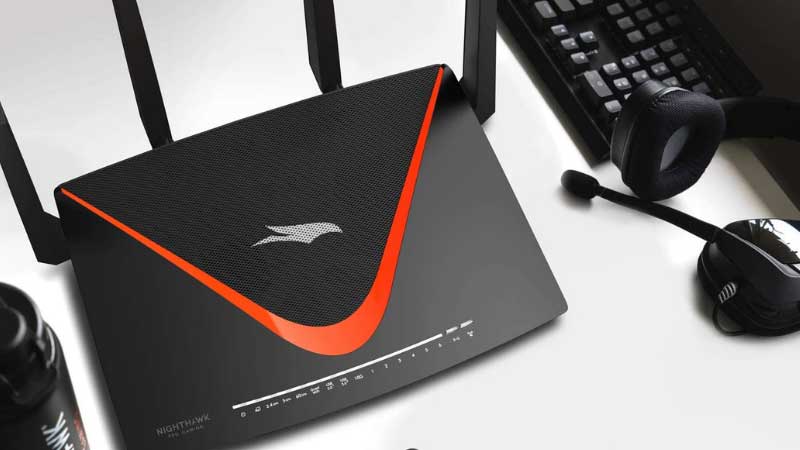
This guide breaks down the seven best routers for Cox Internet in 2026, from budget WiFi 6 options under $100 to flagship WiFi 7 hardware with 10-gig ports. Each pick has been evaluated for real-world compatibility with Cox's network tiers, including the 500 Mbps Preferred, 1 Gbps Ultimate, and 2 Gbps G1GABLAST plans.
Contents
Our Top Picks for 2026
- #PreviewProductRating
- Bestseller No. 1
 Rating:

- Bestseller No. 2
 Rating:
- Bestseller No. 3
 Rating:
 - Bestseller No. 4
 Rating:
 - Bestseller No. 5
 Rating:
 - Bestseller No. 6
 Rating:
 - Bestseller No. 7
 Rating:
In-Depth Reviews
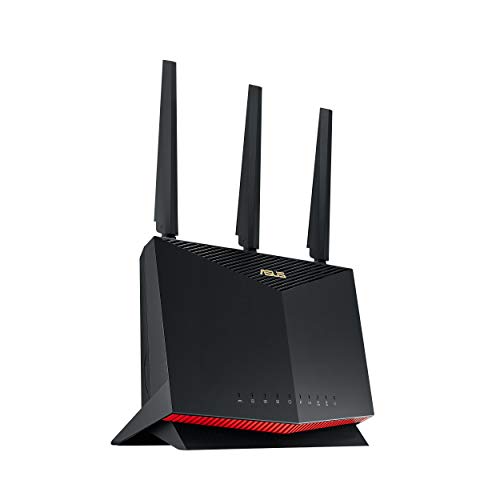
1. ASUS RT-BE88U Dual-Band WiFi 7 Router — Best Overall for Cox Gigabit+
The ASUS RT-BE88U is the router to get for Cox subscribers on the G1GABLAST 2 Gbps tier or anyone planning to upgrade in 2026. It's a full WiFi 7 router with Multi-Link Operation (MLO) and 4096-QAM, delivering combined throughput up to 7,200 Mbps across its dual bands. That's not a number most devices will ever saturate, but it means the router has massive headroom for dozens of simultaneous connections without breaking a sweat.
The port situation is where this router really separates itself. It carries dual 10G ports — one standard 10G WAN/LAN and one 10G SFP+ — plus four 2.5G ports and four additional gigabit ports. Total wired WAN/LAN capacity hits 34 Gbps. For Cox's cable tiers, the 10G WAN port is overkill right now, but it future-proofs the setup for multi-gig cable modems that are starting to roll out. The AI WAN detection feature automatically identifies connection type and optimizes settings, which eliminates the usual setup friction when pairing with a standalone DOCSIS 3.1 modem.
ASUS AiProtection Pro (powered by Trend Micro) comes included with no subscription fee — a significant advantage over NETGEAR's Armor, which charges annually. The built-in VPN server supports WireGuard and OpenVPN, and AiMesh compatibility means adding satellite nodes later is straightforward. The only real downside is the price tag. This is a premium router, and buyers on Cox's lower-tier plans (150 Mbps or 250 Mbps) won't see proportional benefit.
Pros:
- WiFi 7 with MLO and 4096-QAM for maximum throughput
- Dual 10G ports (SFP+ and standard) plus four 2.5G LAN ports
- AiProtection Pro security included free — no subscription
- USB port supports 4G LTE/5G tethering as WAN failover
- AiMesh expandable for whole-home coverage
Cons:
- Premium pricing — overkill for Cox plans under 500 Mbps
- Dual-band only (no dedicated backhaul band for mesh setups)
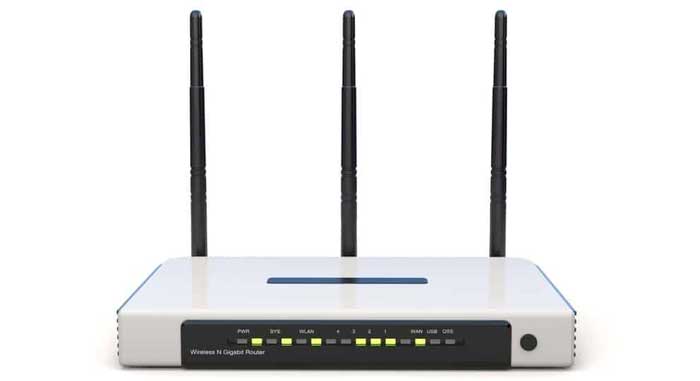
2. ASUS RT-AX86U Pro (AX5700) — Best Value for Gaming on Cox
The RT-AX86U Pro remains one of the most well-rounded WiFi 6 routers available in 2026, and this renewed unit makes it even more attractive on price. ASUS packed AX5700 dual-band performance into a router with a dedicated 2.5G WAN port — enough to fully exploit Cox's gigabit plan with room to spare. The 1.5 GHz quad-core processor handles traffic prioritization with genuine competence, which matters when multiple devices are competing for bandwidth on a shared Cox connection.
Gaming is where this router earns its keep. Mobile Game Mode (activated via the ASUS Router app) prioritizes mobile gaming traffic at the network level. Adaptive QoS categorizes traffic by type — gaming, streaming, VoIP, web browsing — and allocates bandwidth accordingly. Port forwarding configuration is straightforward through the web UI, which matters for console gamers dealing with NAT type issues. The 2.5G port means Cox's full gigabit throughput actually reaches the WAN interface without bottlenecking at the standard 1G port most routers still ship with.
This is a renewed unit, so cosmetic imperfections are possible, but it ships with the same warranty coverage and firmware support as new. AiProtection Pro and built-in VPN are included. For Cox subscribers on the 500 Mbps or 1 Gbps plans who want strong gaming performance without paying WiFi 7 prices, this is the sweet spot.
Pros:
- 2.5G WAN port saturates Cox gigabit without bottleneck
- Dedicated gaming QoS with Mobile Game Mode
- AiProtection Pro and VPN included free
- AiMesh compatible for future expansion
- Renewed pricing significantly lower than new
Cons:
- Renewed unit — possible cosmetic wear
- WiFi 6 only — no WiFi 6E or 7 support
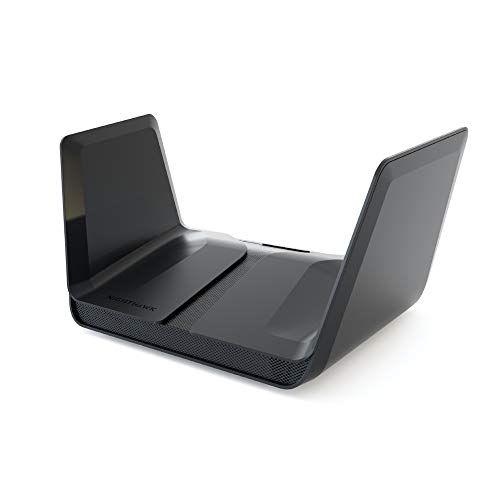
3. NETGEAR Nighthawk AX8 (RAX80) — Best 8-Stream WiFi 6 for Large Homes
The RAX80 brings AX6000 speeds across eight simultaneous streams — four on 2.4 GHz and four on 5 GHz. That stream count matters in households with 20+ devices hitting the Cox connection simultaneously. Each stream operates independently, so a 4K TV pulling from Netflix doesn't degrade the Zoom call happening in the next room. Coverage reaches 2,500 sq. ft. reliably, which handles most single-story homes and many two-story layouts without dead zones.
Setup runs through the Nighthawk app, which walks through modem pairing in under five minutes. Cox subscribers just need to connect the RAX80's WAN port to their existing DOCSIS 3.1 modem via Ethernet, and the router handles DHCP negotiation automatically. The app provides speed testing, usage monitoring, and per-device management — useful for identifying which device is hogging Cox bandwidth during peak hours.
NETGEAR lists compatibility with all ISPs up to 2 Gbps, though the RAX80's WAN port tops at 1 Gbps. That's a meaningful limitation for Cox G1GABLAST subscribers who want the full 2 Gbps throughput via link aggregation. For the Preferred 500 Mbps and Ultimate 1 Gbps tiers, the RAX80 delivers the full pipe without issue. The Nighthawk app ecosystem is mature and well-maintained, and firmware updates arrive regularly. Buyers also looking to improve their wired backbone can pair this with a quality gigabit switch for additional LAN ports.
Pros:
- 8-stream AX6000 handles heavy device loads without degradation
- 2,500 sq. ft. coverage suits most homes
- Nighthawk app provides comprehensive network management
- Compatible with all ISPs including Cox up to 1 Gbps WAN
Cons:
- 1G WAN port — can't fully utilize Cox's 2 Gbps tier
- No 2.5G or 10G ports for multi-gig wired connections
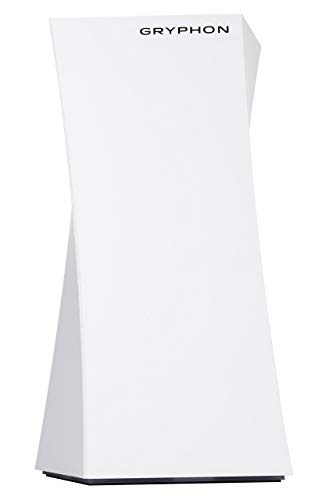
4. NETGEAR Orbi RBK863S Tri-Band Mesh System — Best for Whole-Home Cox Coverage
For large homes — anything over 3,000 sq. ft. — a single router rarely cuts it, even with Cox's fastest plan. The Orbi RBK863S solves this with a three-piece mesh system: one router plus two satellite units delivering seamless WiFi 6 coverage across up to 8,000 sq. ft. That's enough for sprawling ranch homes, multi-story houses, and even outdoor areas like patios and garages. The tri-band architecture dedicates an entire 5 GHz band exclusively to backhaul communication between nodes, so client-facing performance doesn't suffer as data hops between the router and satellites.
The headline feature for Cox power users is the 10 Gbps WAN port on the router unit. This makes the RBK863S one of the few mesh systems ready for Cox's current multi-gig offerings and whatever comes next. Combined WiFi speeds reach 6 Gbps across client-facing bands, and the system handles up to 100 simultaneous devices. NETGEAR Armor (powered by Bitdefender) provides network-wide security, though it requires an annual subscription after the initial trial period — a cost that adds up over time.
The RBK863S is the clear choice for Cox subscribers in large homes who refuse to compromise on coverage or speed. It's expensive — this is a three-unit system at flagship pricing — but it eliminates dead zones completely. No range extender or single-unit router can match what a proper tri-band mesh with dedicated backhaul delivers across 8,000 sq. ft.
Pros:
- 8,000 sq. ft. coverage with dedicated tri-band backhaul
- 10G WAN port — fully future-proofed for multi-gig Cox plans
- Handles 100 simultaneous devices without degradation
- Seamless roaming between nodes with single SSID
Cons:
- NETGEAR Armor security requires paid subscription
- Expensive three-piece system — premium pricing
- Large satellite units take up significant shelf space
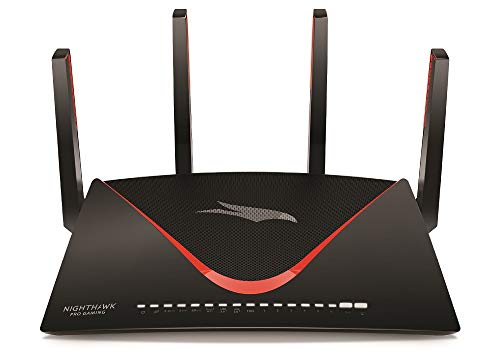
5. NETGEAR Nighthawk RAXE500 WiFi 6E Router — Best for 6 GHz Early Adopters
The RAXE500 was NETGEAR's flagship tri-band router when WiFi 6E launched, and it still holds its own in 2026. The third band operates on the 6 GHz spectrum — a completely uncongested frequency that older devices can't even see. For Cox subscribers in dense apartment buildings or townhome complexes where 2.4 GHz and 5 GHz channels are saturated with neighbor interference, that 6 GHz band is transformative. It's the difference between theoretical speeds and actually achieving them.
This is a 12-stream router delivering combined AX11000 throughput. The 6 GHz band alone pushes up to 4.8 Gbps to compatible clients — iPhones since the 15 Pro, Samsung Galaxy S23+, and most laptops from 2023 onward support WiFi 6E. The physical design uses active cooling with an internal fan, which keeps the 1.8 GHz quad-core processor running at full speed under sustained load. Coverage and penetration on 6 GHz aren't quite as strong as 5 GHz (higher frequencies attenuate faster through walls), but in open floor plans the speed advantage is dramatic.
The main question in 2026 is whether WiFi 6E is the right buy when WiFi 7 routers are arriving. For Cox's current cable tiers, WiFi 6E is more than sufficient — the 6 GHz band delivers cleaner, faster connections than most users have ever experienced. The RAXE500 sits at a lower price point than WiFi 7 flagships and delivers immediately tangible benefits for anyone with 6E-capable devices.
Pros:
- 6 GHz band eliminates interference in congested environments
- 12-stream AX11000 combined throughput
- Active cooling prevents thermal throttling under load
- Strong WAN throughput for Cox gigabit plans
Cons:
- 6 GHz range is shorter — walls reduce coverage more than 5 GHz
- WiFi 7 is now available at similar price points
- No multi-gig WAN port
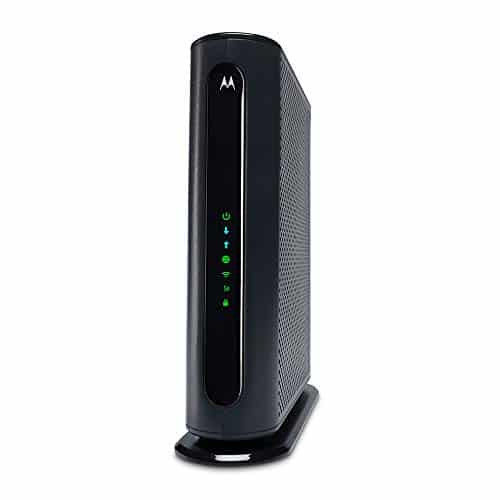
6. NETGEAR Nighthawk RAX50 (AX5400) — Best Mid-Range for Cox Preferred Plans
The RAX50 hits the performance-per-dollar sweet spot for Cox subscribers on the Preferred 500 Mbps tier. It's a 6-stream WiFi 6 router with AX5400 combined speeds — 4,800 Mbps on 5 GHz and 600 Mbps on 2.4 GHz. That's enough throughput to fully saturate Cox's 500 Mbps plan while leaving headroom for local network transfers. Coverage extends to 2,500 sq. ft., and NETGEAR rates it for up to 25 simultaneous devices.
The setup process is about as painless as networking hardware gets. Connect the RAX50 to the existing Cox modem via Ethernet, fire up the Nighthawk app, and the guided setup handles the rest. The app also provides ongoing speed testing and usage tracking, which is useful for verifying that Cox is actually delivering the advertised speeds. Compatible with all ISPs up to 1 Gbps, so it'll still work if the Cox plan gets upgraded down the road.
This router doesn't try to be everything. It's not a gaming specialist, doesn't have multi-gig ports, and lacks a 6 GHz band. What it does is deliver reliable, fast WiFi 6 across a typical home at a price that pays for itself in under a year of saved Cox equipment rental fees. For most households running streaming, video calls, and general browsing, the RAX50 is all the router they need.
Pros:
- Excellent value — strong WiFi 6 at an aggressive price
- 2,500 sq. ft. coverage handles most homes
- Simple Nighthawk app setup and management
- Supports all ISPs up to 1 Gbps including Cox
Cons:
- 1G WAN port — maxes at gigabit WAN throughput
- 25-device rating may not suit smart home power users
- No USB port for NAS or printer sharing
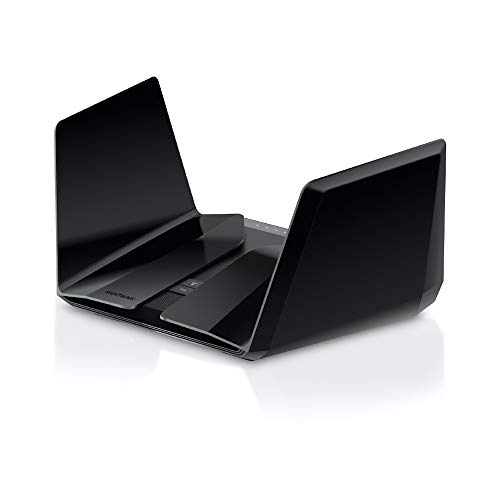
7. TP-Link Archer AX55 (AX3000) — Best Budget Pick for Cox
The Archer AX55 is the budget king. At well under $100, it delivers WiFi 6 with OFDMA and MU-MIMO — the same core technologies found in routers costing three times as much. Speeds hit 2,402 Mbps on 5 GHz and 574 Mbps on 2.4 GHz, which is more than enough to fully utilize Cox's Essential 100 Mbps and Preferred 250 Mbps plans. Four high-gain external antennas with beamforming push reliable coverage throughout typical apartments and smaller homes.
TP-Link's HomeShield provides basic network security and parental controls without a subscription fee. The router also supports both VPN server and VPN client modes — a feature usually reserved for higher-end hardware. EasyMesh compatibility means adding TP-Link range extenders or additional AX55 units to create a mesh network is possible, though not as seamless as purpose-built mesh systems like the Orbi. USB 3.0 is included for NAS or printer sharing.
The trade-off for this price point is predictable: no multi-gig ports, no 6 GHz band, and the Qualcomm chipset won't handle 40+ device loads as gracefully as the ASUS or higher-end NETGEAR options. But for Cox subscribers on lower-tier plans who just want to stop paying the monthly rental fee, the AX55 pays for itself in two to three months. It's also an excellent secondary router or dedicated router for a separate network segment like a home office or guest network.
Pros:
- Outstanding value — WiFi 6 with OFDMA/MU-MIMO under $100
- VPN server and client support built in
- HomeShield security included free
- USB 3.0 port for storage/printer sharing
- EasyMesh compatible for expandability
Cons:
- AX3000 speeds won't fully utilize Cox gigabit plans
- No 2.5G or multi-gig WAN port
- Build quality feels plasticky compared to premium routers
What to Look For When Buying a Router for Cox Internet
WAN Port Speed and Cox Plan Matching
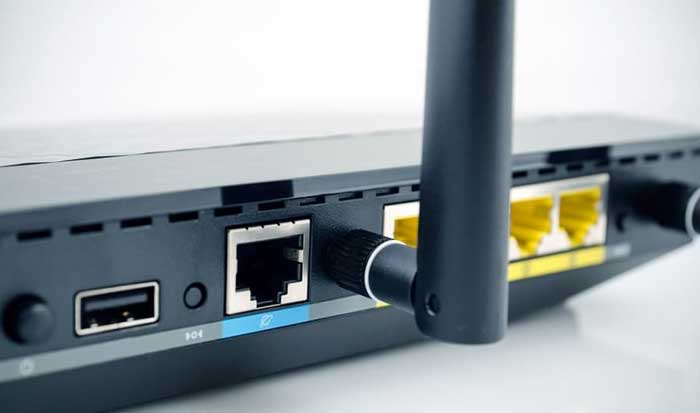
The single most important spec is the WAN port speed relative to the Cox plan. A router with a standard 1G WAN port physically cannot deliver more than ~940 Mbps of actual throughput to the internet — that's fine for Cox's Preferred and Ultimate tiers, but it bottlenecks the 2 Gbps G1GABLAST plan. Subscribers on multi-gig Cox plans need a router with a 2.5G or 10G WAN port. The ASUS RT-BE88U and NETGEAR Orbi RBK863S both offer 10G WAN connectivity.
Also verify that the router supports DOCSIS modem pass-through properly. Cox uses DOCSIS 3.1, and any standalone router connects via Ethernet to the modem — but some routers have quirks with specific modem chipsets. Checking Cox's approved modem list and pairing accordingly avoids headaches.
WiFi Standard: 6, 6E, or 7?
WiFi 6 (802.11ax) is the baseline standard worth buying in 2026. It brought OFDMA, MU-MIMO, BSS coloring, and Target Wake Time — all features that improve real-world performance in multi-device homes. WiFi 6E adds the 6 GHz band, which provides cleaner channels in congested RF environments. WiFi 7 introduces MLO and 4096-QAM for the highest possible throughput.
For most Cox subscribers, WiFi 6 delivers everything needed. WiFi 6E makes sense in apartment complexes or dense neighborhoods. WiFi 7 is for enthusiasts and future-proofers who want the absolute best available. The price difference between WiFi 6 and WiFi 7 has narrowed significantly in 2026, making the upgrade more justifiable than it was a year ago.
Coverage Area and Mesh Expandability
Single-unit routers typically cover 1,500–2,500 sq. ft. reliably. Larger homes need either a very powerful router with external antennas or a mesh system. When evaluating coverage claims, assume real-world performance is 60–70% of the manufacturer's stated range — walls, floors, appliances, and other RF interference all reduce effective coverage.
Mesh expandability matters even for buyers starting with a single unit. ASUS AiMesh and TP-Link EasyMesh let users add compatible nodes later without replacing the primary router. This is more cost-effective than buying a full mesh system upfront if coverage needs might grow.
Security Features and Subscription Costs
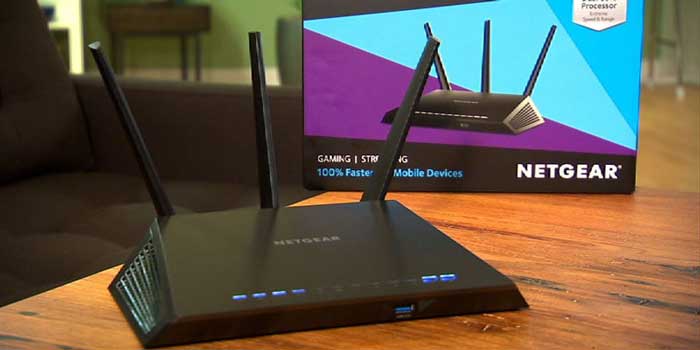
Router security in 2026 splits into two camps: included and subscription-based. ASUS includes AiProtection Pro (Trend Micro) free on most models. TP-Link includes HomeShield basic tier free. NETGEAR charges annually for Armor (Bitdefender). Over a three-year ownership period, those subscription fees can exceed the cost of the router itself.
Beyond branded security suites, look for WPA3 support (mandatory for any router bought in 2026), automatic firmware updates, and VPN server/client capability. Built-in VPN eliminates the need for third-party VPN apps on individual devices — the router encrypts everything at the network level.
What People Ask
Can any router work with Cox Internet, or does it need to be Cox-approved?
Any standard Ethernet WAN router works with Cox when paired with a compatible DOCSIS 3.1 modem. Cox's approved list applies to modems, not routers. The modem handles the cable connection; the router connects to the modem via Ethernet and manages the local network. All seven routers in this guide work with Cox through any approved modem.
Is it worth buying a router instead of renting Cox's Panoramic WiFi gateway?
Absolutely. Cox charges a monthly rental fee for the Panoramic WiFi gateway that adds up to over $100 per year. A standalone router like the TP-Link Archer AX55 costs less than that upfront and delivers better performance. Over two years, the savings easily cover a mid-range or even premium router purchase.
Does Cox throttle speeds when using a third-party router?
No. Cox delivers the same speeds regardless of whether traffic passes through their rental gateway or a third-party router. The modem negotiates the connection speed with Cox's network — the router simply distributes that connection locally. In fact, a better router often results in faster real-world speeds because it handles WiFi more efficiently than Cox's gateway.
What's the difference between WiFi 6 and WiFi 7 for Cox service?
WiFi 6 delivers up to ~9.6 Gbps theoretical combined throughput with OFDMA and MU-MIMO. WiFi 7 adds Multi-Link Operation (simultaneous transmission across bands), 4096-QAM (denser data encoding), and 320 MHz channels. For Cox's current max speed of 2 Gbps, WiFi 6 is sufficient. WiFi 7 provides better latency and future-proofing, but most Cox subscribers won't see a dramatic speed difference today.
Do mesh routers work well with Cox, or is a single router better?
Mesh systems work perfectly with Cox. The Orbi RBK863S in this guide connects to a Cox modem identically to a single router — the mesh nodes then extend the network wirelessly. Homes under 2,500 sq. ft. are fine with a single router. Above that, mesh systems eliminate dead zones that a single router can't reach, regardless of antenna power or placement.
How much speed does a router need to handle Cox's gigabit plan?
The router needs a WAN port rated at 1 Gbps minimum — which every router in this guide meets. The WiFi speed rating should exceed the plan speed to avoid wireless bottleneck: an AX3000 router (like the Archer AX55) can handle gigabit over WiFi to a single device. For multiple devices simultaneously pulling gigabit-class speeds, AX5400 or higher is recommended. The 2.5G WAN port on the ASUS RT-AX86U Pro provides extra headroom.
Buy on Walmart
- ASUS RT-BE88U Dual-Band WiFi 7 AiMesh Extendable Performance — Walmart Link
- ASUS RT-AX86U Pro (AX5700) Dual Band WiFi 6 Extendable Gamin — Walmart Link
- NETGEAR Nighthawk 8-Stream AX8 WiFi 6 Router (RAX80) – AX600 — Walmart Link
- NETGEAR Orbi Tri-Band WiFi 6 Mesh Network System (RBK863S) – — Walmart Link
- NETGEAR Nighthawk WiFi 6E Router (RAXE500) Featuring 12-Stre — Walmart Link
- NETGEAR Nighthawk 6-Stream AX5400 WiFi 6 Router (RAX50) - AX — Walmart Link
- TP-Link Dual-Band AX3000 Wi-Fi 6 Router Archer AX55 | Wirele — Walmart Link
Buy on eBay
- ASUS RT-BE88U Dual-Band WiFi 7 AiMesh Extendable Performance — eBay Link
- ASUS RT-AX86U Pro (AX5700) Dual Band WiFi 6 Extendable Gamin — eBay Link
- NETGEAR Nighthawk 8-Stream AX8 WiFi 6 Router (RAX80) – AX600 — eBay Link
- NETGEAR Orbi Tri-Band WiFi 6 Mesh Network System (RBK863S) – — eBay Link
- NETGEAR Nighthawk WiFi 6E Router (RAXE500) Featuring 12-Stre — eBay Link
- NETGEAR Nighthawk 6-Stream AX5400 WiFi 6 Router (RAX50) - AX — eBay Link
- TP-Link Dual-Band AX3000 Wi-Fi 6 Router Archer AX55 | Wirele — eBay Link
Match the router's WAN port to the Cox plan speed, pick the WiFi standard the household's devices actually support, and stop paying rental fees — the right router pays for itself before the year is out.


About William Sanders
William Sanders is a former network systems administrator who spent over a decade managing IT infrastructure for a mid-sized logistics company in San Diego before moving into full-time gear writing. His years in IT gave him deep hands-on experience with networking equipment, routers, modems, printers, and scanners — the kind of hardware most reviewers only encounter through spec sheets. He also has a long background in consumer electronics, with a particular focus on home audio and video setups. At PalmGear, he covers networking gear, printers and scanners, audio and video equipment, and tech troubleshooting guides.
You can get FREE Gifts. Or latest Free phones here.
Disable Ad block to reveal all the info. Once done, hit a button below