What Is The Difference Between a Vinyl Cutter And Plotter?
by Alice Davis
A vinyl cutter drags a precision blade through adhesive-backed vinyl while a plotter moves a toolhead — pen, knife, or marker — along two axes to trace vector paths across a medium. The difference between a vinyl cutter and plotter comes down to toolhead design and intended output, and confusing the two costs crafters time, materials, and money. If you are deciding between these machines for your heat press and vinyl projects, the distinction matters more than most product listings acknowledge.
Both machines share the same X/Y carriage mechanics and rely on vector-based design files, but they diverge sharply in what they do with that movement. One slices, the other traces — and those two actions serve very different production goals, even when they overlap in practice.
Contents
- How These Machines Evolved and Where They Stand Today
- The Difference Between a Vinyl Cutter and Plotter in Real Projects
- Debunking the Biggest Misconceptions
- Matching the Right Machine to Your Skill Level
- Diagnosing and Fixing the Most Common Problems
- Insider Techniques That Separate Good Output from Great
How These Machines Evolved and Where They Stand Today
The Origins of Cutting and Plotting Technology
The plotter predates the vinyl cutter by roughly two decades, emerging in the 1950s as a peripheral for CAD workstations that needed to produce large-format technical drawings on paper rolls. Engineers and architects used drum plotters and flatbed plotters to render floor plans, circuit diagrams, and schematics at scales that standard printers could not handle. The toolhead held a pen, and the machine's entire purpose was continuous-line vector reproduction with no raster approximation involved.
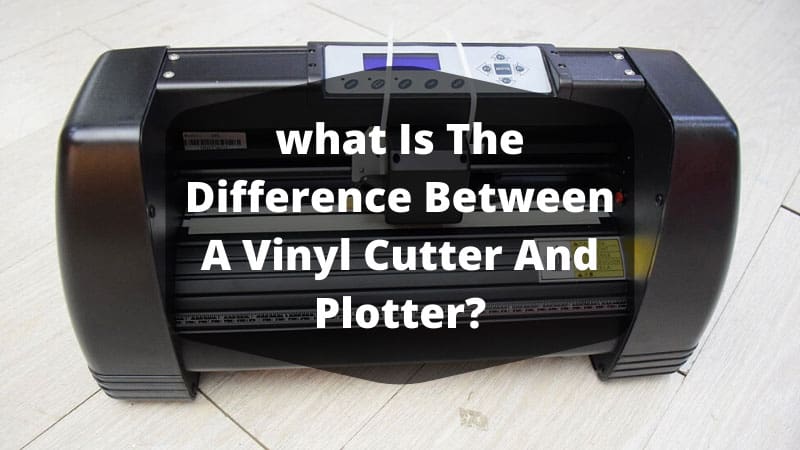
Vinyl cutters arrived in the sign-making industry during the 1980s as a logical evolution: swap the pen for a carbide blade, load adhesive vinyl instead of paper, and you have a machine that produces cut lettering and graphics without the labor of hand-cutting. The mechanics are nearly identical to a pen plotter, but the application is entirely different. Roland and Gerber were among the earliest manufacturers to commercialize this workflow, and their influence shaped every desktop cutter you see on the market today.
Modern Iterations You Will Encounter Today
Today's market splits into four recognizable categories that build on that original divergence:
- Desktop vinyl cutters — Cricut Maker, Silhouette Cameo, Brother ScanNCut: consumer-grade, 12-inch cutting width, mat-fed or roll-fed with blade force up to 4,000 grams on the Maker series
- Professional sign cutters — Graphtec, Roland GX, USCutter: roll-fed, 24-inch and wider, blade force up to 600 grams, designed for continuous production runs without babysitting
- Pen plotters — AxiDraw, HP DesignJet in plotter mode: pen-based output on paper, fabric, or rigid media with no blade or cut force involved
- Cutting plotters — hybrid machines that accept both pen and blade toolheads and switch between them mid-job for print-and-cut workflows
The cutting plotter category is exactly where the terminology collapses into confusion. Manufacturers like Graphtec market their machines as "cutting plotters," meaning a machine with plotter-style X/Y mechanics but a blade toolhead optimized for vinyl. When someone calls a vinyl cutter a plotter, they usually mean this hybrid category — and they are not technically wrong, even though the workflow is pure vinyl cutting production.
The Difference Between a Vinyl Cutter and Plotter in Real Projects
Vinyl Cutters in the Craft and Sign Shop
In a real production environment, your vinyl cutter handles decals, heat-transfer vinyl for apparel, window graphics, vehicle wraps, and stencils. The machine reads a vector file — SVG, DXF, or the proprietary formats of Cricut Design Space and Silhouette Studio — and the blade traces every closed path in that file, cutting through the vinyl layer without scoring the backing paper. You weed the negative material, apply transfer tape, and transfer the remaining design to your substrate in a workflow that has not changed fundamentally in 40 years.
For apparel projects specifically, HTV cut on a vinyl cutter pairs directly with a heat press for professional-quality garment decoration. If you are building out that workflow, exploring amazing Cricut vinyl project ideas gives you a concrete sense of what production-level consumer cutters actually deliver across material types and project scales.
Always run a test cut on a corner of fresh vinyl before committing a full sheet — blade depth drift between material batches destroys more jobs than operator error ever does.
Plotters in Technical and Commercial Applications
A pen plotter in active use today lives in one of three niches: fine-art printmaking, industrial prototyping, and educational robotics. The AxiDraw V3, for instance, accepts a standard rollerball or technical pen and executes handwriting or complex geometric drawings that no inkjet can replicate with the same unbroken line quality. Architecture firms still use large-format plotters for blueprint-scale output where the pen's continuous stroke reads better than a raster inkjet approximation at full scale.
| Feature | Vinyl Cutter | Pen Plotter | Cutting Plotter |
|---|---|---|---|
| Primary toolhead | Carbide or steel blade | Pen or marker | Blade + pen interchangeable |
| Primary media | Adhesive vinyl, HTV | Paper, vellum, fabric | Vinyl, paper, cardstock |
| Output type | Cut shapes and letters | Drawn lines and geometry | Cut shapes with drawn registration marks |
| Typical use | Decals, apparel, signage | Technical drawing, fine art | Sign shops, print-and-cut production |
| Software ecosystem | Design Space, Studio, SignCut | Inkscape with AxiDraw plugin | FlexiSIGN, VinylMaster, SCAL |
| Entry price range | $200–$500 consumer | $500–$1,500 | $800–$4,000+ |
Debunking the Biggest Misconceptions
The "It Is Just a Big Printer" Myth
The most persistent misconception you will encounter is that a plotter is simply an oversized printer. This conflation of raster output with vector mechanics leads buyers to purchase the wrong machine entirely and then wonder why their workflow fails. A printer deposits ink in a dot matrix pattern determined by pixel resolution; a plotter moves a toolhead along mathematically defined paths with no resolution ceiling at all. A 1-inch circle drawn by a plotter is geometrically perfect regardless of output scale, while the same circle printed at 72dpi pixelates the moment you scale it beyond a few inches.
Large-format inkjet printers are frequently mislabeled "plotters" in office supply catalogs and big-box retail listings, which compounds the confusion for buyers who are new to the sign and graphics industry. A HP DesignJet Z9+ is a printer — it deposits ink in a raster grid. A HP DesignJet T650 operating with a pen holder is a plotter — it draws continuous lines. Same brand family, fundamentally different mechanisms and output characteristics.
The "Vinyl Cutters Can Replace Plotters" Myth
A vinyl cutter cannot replace a pen plotter for applications that require drawn output, and a pen plotter cannot replace a vinyl cutter for production decal work. These machines serve overlapping but non-identical production needs, and assuming you can substitute one for the other based on their shared X/Y carriage mechanics leads directly to ruined toolheads and wasted media stock.
Where this myth carries limited truth: a Cricut Maker or Silhouette Cameo fitted with a pen adapter produces hand-lettering-style output that approximates pen plotter results for casual craft applications. But the force control, pen compatibility range, and line repeatability of a dedicated pen plotter far exceed what a consumer vinyl cutter delivers in pen mode, especially across long runs or fine linework that requires consistent ink pressure throughout the job.
If your workflow requires both cutting and drawing — print-and-cut or contour cutting around printed designs — invest in a cutting plotter from the start rather than trying to bridge two separate machines with adapters.
Matching the Right Machine to Your Skill Level

Entry-Level Picks for New Crafters
If you are starting with vinyl projects for the first time, a consumer vinyl cutter — Cricut Maker 3, Silhouette Cameo 4, or Brother ScanNCut DX — gives you the fastest path from design file to finished product. These machines cut adhesive vinyl, HTV, cardstock, and thin fabric, and their software ecosystems are designed for users who are learning the workflow rather than optimizing a production line with maximum throughput. The learning curve centers on blade depth, cutting pressure, and mat adhesion rather than on the machine's underlying mechanics.
Software is the real differentiator at the entry level, and you need a vector-capable design environment before you cut a single sheet. The free vinyl cutting software options available right now give you a fully workable foundation without additional cost — Inkscape with the Silhouette plugin or the free tier of Design Space covers the majority of craft use cases at this level without requiring a paid subscription to get started.
Advanced Configurations for Production Work
Once you are running more than 20 jobs per week, the economics and ergonomics of consumer vinyl cutters stop making operational sense. Professional sign cutters from Graphtec (CE7000, FC9000 series) and Roland (GX-500) deliver roll-feed capability, tangential blade emulation, optical registration mark reading for print-and-cut workflows, and blade force that reaches 300–600 grams — handling materials that consumer machines cannot process reliably, including reflective vinyl, Siser Brick Nylon, and thick magnetic sheeting stock.
At the advanced level, the difference between a vinyl cutter and plotter becomes operationally significant because professional sign shops run cutting plotters that handle both drawing and cutting functions within a single job. FlexiSIGN and VinylMaster are the industry-standard RIP and cut software packages at this production tier, and mastering either one is a separate skill investment from learning consumer-grade software. The ROI calculation changes entirely when machine uptime directly affects your daily revenue output and client delivery timelines.
Diagnosing and Fixing the Most Common Problems
Blade Depth and Pressure Calibration Issues
The most common failure mode across both consumer vinyl cutters and professional cutting plotters is incorrect blade depth — specifically, a blade set too deep that scores the backing paper on vinyl cuts or drags destructively across the cutting mat surface. The correct blade depth depends on media thickness, blade wear state, and the specific blade geometry you are using. German carbide blades require less tip exposure than standard blades for equivalent cut quality on 2-mil calendered vinyl, and this difference trips up experienced operators who switch blade brands mid-production.
- Diagnosis: Flip your cut piece over after the job — if the backing paper shows blade marks, your depth or pressure setting is too aggressive for that media
- Hand calibration: Set blade depth by drawing the blade across a single vinyl layer by hand; you should score the surface without punching through to the backing
- Pressure increments: Start at the manufacturer's recommended setting for your material type, then increase by 5 grams at a time until you achieve clean cuts without backing paper penetration
- Mat adhesion failures: Replace your cutting mat when vinyl lifts or shifts during cutting — loss of grip is always the mat, never the machine's feed system
Software Compatibility and Driver Conflicts
Software failures account for a significant portion of cutting problems that get misdiagnosed as hardware issues requiring expensive repairs or returns. A vinyl cutter producing jagged curves or skipping path segments is almost always running a corrupted driver, receiving a file with open paths, or experiencing USB communication dropouts that interrupt the data stream mid-job. The fix for jagged curves is to verify that your design file contains true closed vector paths before sending to the cutter — open paths cause the blade to skip segments as the software attempts to determine a valid cut direction from ambiguous path data.
- Always ungroup and merge overlapping paths before cutting — compound overlaps create double-cut lines that destroy fine details on intricate designs
- Use your software's dedicated "Send to Cutter" function rather than printing to a generic system driver, which loses custom force and speed settings
- For Bluetooth-connected consumer machines, switch to a direct USB connection when troubleshooting — wireless dropouts cause more mid-job failures than any other single variable
Insider Techniques That Separate Good Output from Great
Optimizing Your Design Files
Your output quality ceiling is set by your design file quality before the machine ever moves a single millimeter. Vector files exported from Illustrator or Inkscape need all strokes expanded to fills, all text converted to outlines, and all nodes simplified to the minimum count that preserves the design's visual intent at cutting tolerances. High node counts slow the machine's path interpolation and introduce micro-vibrations that soften cut edges on intricate designs with tight curves and fine serifs.
For print-and-cut workflows where you print a full-color design and then contour-cut around it using registration marks, your alignment accuracy between the printed output and the cut path depends entirely on registration mark placement and optical sensor calibration accuracy. Recalibrate your optical registration sensor every time you change media type, because even a small change in material thickness shifts the focal distance of the sensor and introduces offset errors that grow larger toward the edges of wide sheets.
Material Handling and Cutting Mat Practices
Your cutting mat is a consumable, and treating it as a permanent tool is the single fastest way to degrade your output quality without realizing the mat is the source of the problem. For consumer cutters, replace the standard grip mat after 40–50 uses for HTV and after 60–80 uses for adhesive vinyl — adhesive vinyl is less destructive to mat fibers because the backing paper absorbs most of the blade contact rather than the mat surface itself. For professional sign cutters running roll-fed vinyl without a mat, your cutting strip under the blade path needs replacement when it shows a continuous groove along the cut line.
- Store unused vinyl rolls vertically or on a horizontal roll holder — flat storage creates permanent creases that cause lifting and misalignment during cutting jobs
- Weed intricate designs in a warm room environment — vinyl weeds cleanly at 70°F and tears unpredictably at 60°F, which beginners almost always attribute to a dull blade rather than temperature
- For your Cricut Explore Air accessory setup, a quality weeding tool kit and a brayer roller contribute more to finished output quality than most machine hardware upgrades at the consumer tier
- Run a dedicated test cut at the start of every session — blade wear is gradual and you will not notice degraded output quality until it has already compromised several feet of material
Frequently Asked Questions
Is a vinyl cutter the same as a cutting plotter?
Functionally, yes — a cutting plotter is the professional industry designation for a machine that uses plotter-style X/Y carriage mechanics with a blade toolhead to cut vinyl and similar sheet media. Consumer brands market these machines as vinyl cutters, while sign industry professionals call the same category cutting plotters. The difference between a vinyl cutter and plotter in this specific context is largely terminology rather than technology.
Can a vinyl cutter draw with a pen the way a plotter does?
Most consumer vinyl cutters accept pen adapter accessories that allow you to draw on paper or fabric surfaces. The output quality is acceptable for casual craft applications, but a dedicated pen plotter delivers noticeably superior line quality through better force control and a wider range of compatible pen types, particularly for fine technical linework or densely hatched geometric patterns that require consistent ink pressure throughout the job.
What software do I need for a vinyl cutter versus a plotter?
Vinyl cutters use brand-specific software like Cricut Design Space, Silhouette Studio, or third-party options like Sure Cuts A Lot and SignCut Pro. Pen plotters use Inkscape with manufacturer driver plugins for machines like the AxiDraw, or professional sign software like FlexiSIGN for cutting plotters. All workflows require vector-based design files — raster images must be traced to vectors before the machine can interpret them as cuttable or drawable paths.
Can I use a plotter to cut vinyl?
Only if it is specifically a cutting plotter with a blade toolhead option in its accessory ecosystem. A pure pen plotter cannot cut vinyl — it lacks the blade holder specification, the cutting force rating, and the bearing system required to maintain consistent blade pressure across a full sheet. Forcing a blade into a pen holder damages the carriage and produces unusable cuts while potentially voiding the machine warranty.
Which machine should I buy for heat transfer vinyl apparel projects?
A vinyl cutter is the correct and only practical choice for HTV apparel decoration workflows. Consumer machines like the Cricut Maker 3, Silhouette Cameo 4, or Brother ScanNCut DX all handle HTV reliably at craft and small-business production scales. You can scale up to a professional sign cutter from Graphtec or Roland when your weekly volume demands it, but you do not need a plotter for this workflow at any production level.
How much should you expect to spend on a quality vinyl cutter?
Entry-level consumer vinyl cutters start at $200–$350 for machines like the Cricut Joy or Silhouette Portrait, while full-featured consumer models like the Cricut Maker 3 or Cameo 4 run $300–$500. Professional sign cutters from Graphtec and Roland start at $800 and scale past $4,000 for wide-format production models. The capability that most justifies the cost jump to professional-grade hardware is roll-feed operation combined with optical registration mark reading for print-and-cut production workflows.
Know which tool cuts and which tool draws — match the machine to the output, and every project downstream gets faster, cleaner, and cheaper.


About Alice Davis
Alice Davis is a crafts educator and DIY enthusiast based in Long Beach, California. She spent six years teaching textile design and applied arts at a community college, where she introduced students to everything from basic sewing techniques to vinyl cutting machines and heat press printing as practical, production-ready tools. That classroom experience means she has put more sewing machines, embroidery setups, Cricut systems, and heat press units through real project work than most reviewers ever will. At PalmGear, she covers sewing machines and embroidery tools, vinyl cutters, heat press gear, Cricut accessories, and T-shirt printing guides.
You can get FREE Gifts. Or latest Free phones here.
Disable Ad block to reveal all the info. Once done, hit a button below