Which is Better: Screen Printer or Heat Press?
by Alice Davis
Which method actually delivers better results for custom apparel decoration — and does the answer change depending on the production context? When evaluating what is better screen printer or heat press, the distinction comes down to volume thresholds, substrate compatibility, and the operator's tolerance for setup complexity. Screen printing dominates high-volume single-design runs with superior ink durability and lower per-unit cost at scale, while heat press transfers offer unmatched versatility for short runs, full-color photographic prints, and multi-substrate applications across the heat press and vinyl crafts category. Neither method is universally superior — but one is almost always the better fit for a given production scenario.
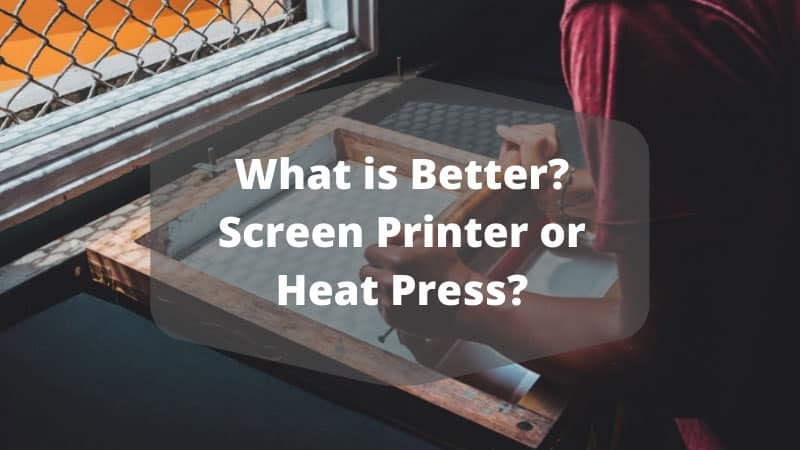
The custom apparel decoration industry generates over $10 billion annually in the United States alone, with screen printing and heat press transfers accounting for the vast majority of decorated garments. Understanding the technical trade-offs between these two methods is essential for anyone operating a print business or launching one — and those considering the latter should review this guide on starting an online t-shirt business for broader context on market entry strategies.
Contents
When Screen Printing Wins — and When It Doesn't
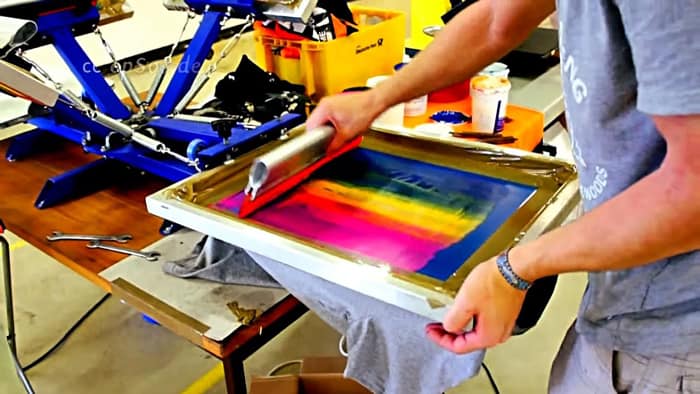
Screen printing, also known as serigraphy, excels in scenarios where a single design needs to be replicated across hundreds or thousands of units. The economics become favorable once an order exceeds approximately 24 pieces, because the labor-intensive screen preparation cost gets amortized across the entire run.
Ideal Screen Printing Jobs
- Bulk orders of 50+ units featuring one to four spot colors on light-colored cotton or cotton-poly blends
- Athletic uniforms requiring plastisol ink that withstands repeated industrial laundering without cracking or fading
- Promotional merchandise where per-unit cost must stay below $2.00 for the decoration itself
- Designs requiring specialty inks such as puff, metallic, glow-in-the-dark, or high-density formulations

Where Screen Printing Falls Short
Screen printing becomes impractical for full-color photographic reproductions, orders under 12 units, or situations requiring rapid turnaround without pre-made screens. Each additional color requires a separate screen, registration alignment, and drying time between passes — meaning a six-color design demands six screens and six press stations or passes. For one-off custom pieces or designs with continuous-tone gradients, heat press transfers using sublimation or DTF (direct-to-film) technology deliver results that screen printing simply cannot replicate at any cost.
Choosing by Skill Level: Newcomers Through Veterans
Entry-Level Operators
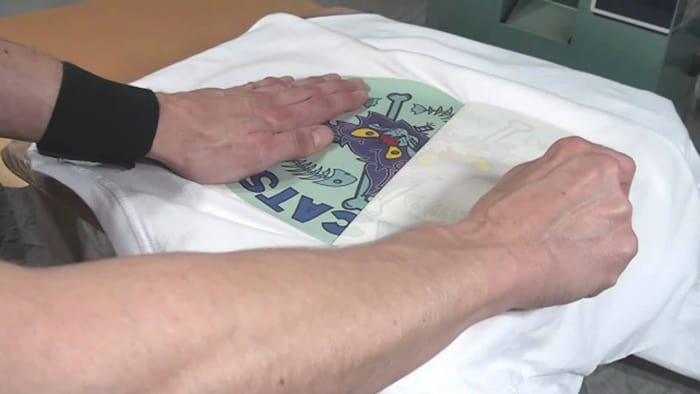
A heat press presents a dramatically lower barrier to entry than a screen printing setup. The core equipment — a clamshell or swing-away press, a cutting machine, and HTV vinyl — requires roughly $500–$800 in initial investment and minimal dedicated workspace. The learning curve spans days rather than weeks, and mistakes cost relatively little since failed transfers waste only a sheet of vinyl rather than an entire screen's worth of emulsion and ink. Those just getting started should consult a detailed walkthrough on how to heat press HTV vinyl step by step before committing to production runs.
Experienced Production Shops
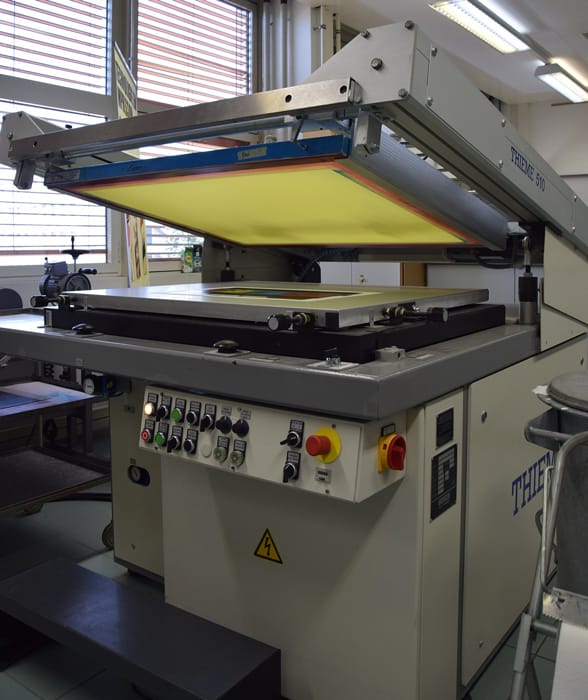
Veteran operators with established screen printing infrastructure — exposure units, multi-station manual or automatic presses, conveyor dryers — gain diminishing returns from switching to heat press for their core high-volume work. However, most successful shops maintain at least one heat press station to handle short-run custom orders, hat and bag decoration, and substrate types that cannot pass through a screen printing press. The deciding factor at this level is not capability but throughput economics and order mix composition.
Pro Insight: The most profitable custom apparel operations run both methods simultaneously, routing each order to whichever process minimizes cost-per-print at that specific quantity and color count.
Production Scenarios That Reveal the Real Winner
Abstract comparisons between screen printing and heat press obscure the reality that what is better screen printer or heat press depends entirely on the specific job parameters. The following table breaks down concrete production scenarios alongside the recommended method and the rationale driving that recommendation.
Side-by-Side Comparison Table
| Scenario | Best Method | Rationale |
|---|---|---|
| 200 cotton tees, 2-color logo | Screen Printing | Per-unit cost under $1.50; plastisol durability exceeds 50+ washes |
| 15 polyester sublimation tumblers | Heat Press | Sublimation bonds permanently with polyester coatings; screen ink cannot |
| Full-color photographic design, 25 units | Heat Press (DTF) | Unlimited colors without additional setup; CMYK process screen printing requires halftone expertise |
| 500 event tees, 1-color print | Screen Printing | Fastest throughput; automatic press handles 400+ pieces per hour |
| Custom name/number sports jerseys | Heat Press | Each piece is unique; screen printing requires individual screens per name |
| Dark garments, vibrant design | Either | Screen uses white underbase; heat press uses white DTF or dark-shirt HTV |
| Canvas tote bags, 50 units | Heat Press | Irregular surfaces and seams make screen registration difficult |
Common Misconceptions About Both Methods
Myth: Heat press prints always crack and peel after a few washes. Modern DTF transfers and quality HTV vinyl, when applied at correct temperature and pressure settings, routinely survive 50+ wash cycles without visible degradation. Poor durability almost always traces back to incorrect application parameters — not the method itself. Operators experiencing adhesion failures should troubleshoot using a resource on common heat press problems and fixes before blaming the technology.
Myth: Screen printing produces a heavier, less comfortable hand feel. Water-based and discharge inks produce a soft hand that is virtually indistinguishable from the base fabric, rivaling or exceeding the feel of most heat press transfer methods. Plastisol does sit on top of the fabric, but modern low-cure and high-stretch formulations have reduced that thickness substantially compared to older ink chemistries.
Myth: Screen printing is too expensive for small businesses. Entry-level manual screen printing kits with a single-station press, exposure unit, and starter ink set run between $300 and $600 — comparable to a mid-range heat press setup. The real cost difference is time, not equipment; screen preparation adds 30–60 minutes per design regardless of order size, making it inefficient only for very small runs.
Myth: Heat press is only for hobbyists and craft projects. Commercial DTF printers paired with industrial swing-away presses now produce output quality that major apparel brands accept for retail-ready merchandise, including garments sold through Amazon, Etsy, and brick-and-mortar retailers with strict quality control standards.
Proven Techniques for Maximum Print Quality
Screen Printing Best Practices
- Use a 230-mesh screen for fine detail work and a 110-mesh screen for heavy ink deposits on dark garments requiring an opaque white underbase
- Maintain consistent off-contact distance (1/16" to 1/8") between the screen and substrate to ensure clean ink release and prevent image ghosting
- Flash-cure between color passes at 320°F for exactly 3–5 seconds — overcuring causes inter-coat adhesion failure while undercuring leads to color bleed
- Reclaim screens immediately after use; dried emulsion requires harsh chemicals and excessive scrubbing that degrades mesh tension over time
Heat Press Best Practices
- Pre-press garments for 3–5 seconds to eliminate moisture and wrinkles that cause uneven transfer adhesion and bubbling
- Use a Teflon sheet or parchment paper between the heating element and transfer material to prevent scorching and extend platen pad life
- Calibrate pressure using the "firm handshake" test — the press should require moderate effort to close but not strain the operator's wrist
- Allow garments to cool completely before peeling cold-peel transfers; premature removal is the leading cause of incomplete image transfer
- Verify temperature accuracy with an infrared thermometer quarterly, as heating elements drift over time and built-in gauges are often inaccurate by 10–15°F
Setting Up a Dual-Method Workflow
Operating both screen printing and heat press equipment under one roof maximizes order acceptance rates and eliminates the need to outsource jobs that fall outside a single method's sweet spot. The integration process is straightforward for shops that approach it systematically.
Equipment and Space Requirements
- Screen printing station: Manual 4-color/1-station press, 20"×24" exposure unit, washout booth, and conveyor or flash dryer — minimum 120 sq ft dedicated space
- Heat press station: 15"×15" swing-away press (clamshell models restrict access to thick substrates), cutting machine for HTV, and a DTF printer if budget allows — minimum 30 sq ft
- Shared infrastructure: Adequate ventilation for plastisol fumes, 20-amp dedicated circuits for both dryers and press heating elements, and a clean staging area for garment preparation
Step-by-Step Integration Process
- Audit existing order history to determine the percentage of jobs that fall below the 24-unit screen printing break-even threshold — these are the first candidates for heat press routing
- Establish routing criteria based on three variables: order quantity, color count, and substrate type, then document these as a decision matrix that any team member can follow
- Cross-train all operators on both methods to eliminate production bottlenecks when one station is idle and the other is overloaded during peak season
- Price jobs by method using separate cost models — screen printing pricing should reflect setup fees amortized across quantity, while heat press pricing should reflect per-unit material cost plus fixed labor time
- Track quality metrics including wash-test failure rates, customer return percentages, and production time per unit for each method, then review monthly to optimize the routing criteria
Shops that implement dual-method workflows consistently report 20–35% increases in order acceptance rates, because they no longer turn away jobs that fall outside their single-method capability. The capital investment for adding heat press capability to an existing screen printing shop is typically recovered within three to six months through captured orders that would otherwise go to competitors.
Frequently Asked Questions
Which method lasts longer on garments — screen printing or heat press?
Plastisol screen printing generally offers the longest durability, surviving 80+ industrial wash cycles when properly cured at 320°F. However, modern DTF heat press transfers and sublimation prints on polyester substrates achieve comparable longevity, routinely exceeding 50 wash cycles without visible degradation when applied at manufacturer-specified temperature and pressure settings.
Can a heat press match screen printing quality on bulk orders?
For spot-color designs on cotton at quantities above 50 units, screen printing still delivers superior color opacity, ink saturation, and production speed. A heat press matches or exceeds screen printing quality only in specific niches: full-color photographic reproductions, sublimation on polyester-coated items, and personalized one-off designs where each piece carries unique text or imagery.
What is better screen printer or heat press for a home-based business?
A heat press is the stronger choice for home-based operations due to its compact footprint, minimal ventilation requirements, near-silent operation, and fast setup with no chemical processing. Screen printing demands dedicated washout facilities, chemical storage for emulsion and reclaiming solutions, and significantly more floor space — requirements that most residential spaces cannot easily accommodate.
Next Steps
- Audit current and projected order volume — count how many jobs per month fall below 24 units and how many exceed 100 units, then map each category to the method with the lowest cost-per-print at that quantity
- Run a substrate inventory check — list every material type being decorated (cotton, polyester, canvas, ceramics, hats) and cross-reference each against the compatibility table above to confirm whether screen printing, heat press, or both are required
- Order test materials for the weaker method — if currently running only screen printing, purchase a starter HTV vinyl kit and practice on scrap garments; if running only heat press, invest in a single-color screen printing kit and produce a 25-piece test run
- Establish a wash-test protocol — produce five sample prints using each method on identical garments, then run them through 30 wash/dry cycles to benchmark durability under actual operating conditions before committing to production


About Alice Davis
Alice Davis is a crafts educator and DIY enthusiast based in Long Beach, California. She spent six years teaching textile design and applied arts at a community college, where she introduced students to everything from basic sewing techniques to vinyl cutting machines and heat press printing as practical, production-ready tools. That classroom experience means she has put more sewing machines, embroidery setups, Cricut systems, and heat press units through real project work than most reviewers ever will. At PalmGear, she covers sewing machines and embroidery tools, vinyl cutters, heat press gear, Cricut accessories, and T-shirt printing guides.
You can get FREE Gifts. Or latest Free phones here.
Disable Ad block to reveal all the info. Once done, hit a button below